15 Coding Activities For Kids That Require No Screen [2026]
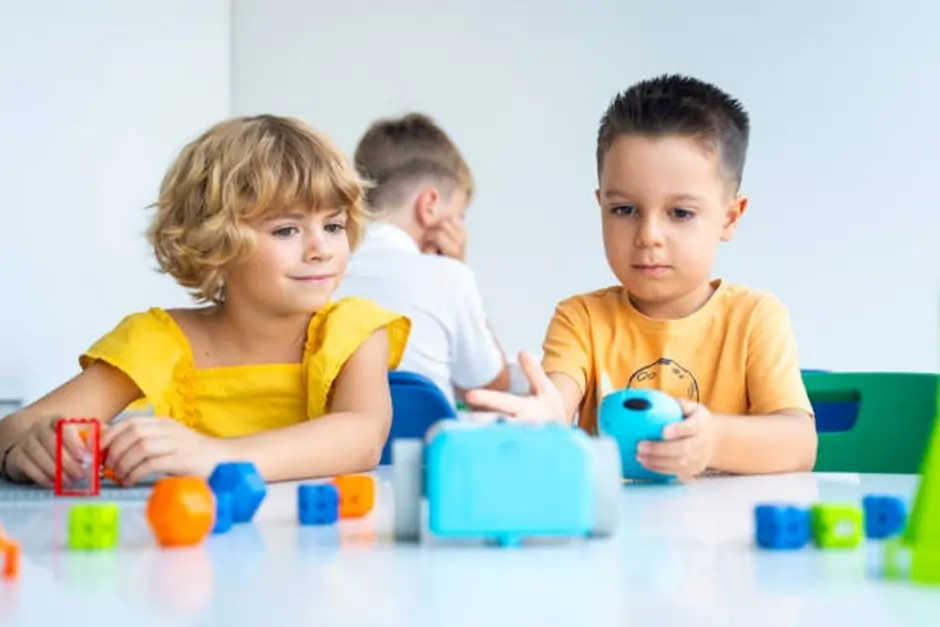
so good news number two: Coding is not all about computers. In the heart of coding lies thinking, problem-solving, and familiarity with instructions.
“No-Tech” or “Unplugged” Learning has become a powerful approach in early education. As such, it gives kids the opportunity to learn programming principles through utilizing everyday objects, physical movement and creativity. These activities teach kids how sequences, patterns and logic work, all without requiring a device. Many educators actually recommend teaching unplugged first before jumping into actual programming languages.
In this guide, we are combining 15 coding activities for kids that don’t involve screens at all. Fun games and engaging activities help develop life skills such as creative thinking, fitness, logical reasoning and team building. So, if you are a parent searching for activities to do at home or an educator who wants interactive lessons (which work great with remote teaching), these ideas will allow kids to learn coding organically and in a playful way.
What Are Coding Activities For Kids?
Coding activities for kids are learning experiences that introduce the core ideas of programming in a simple and engaging way. Instead of focusing on complex software or syntax, these activities help children understand how instructions work, how problems are solved step by step, and how outcomes are created through logical thinking.
At a basic level, coding is about giving clear instructions to achieve a specific result. For children, this can be taught through games, storytelling, physical movement, or hands-on tasks. For example, asking a child to guide a friend through a maze using step-by-step directions is already a form of coding practice. It builds the same thinking process used in real programming.
There are two main types of coding activities:
- Digital coding activities: These involve computers, apps, or programming platforms where kids write or arrange code on a screen
- Unplugged coding activities: These are screen-free methods where kids learn coding concepts using physical objects, paper, or real-world interaction
Unplugged learning is especially useful for younger children. It removes distractions and allows them to focus on understanding concepts like order, patterns, and cause and effect. It also makes learning more interactive and less intimidating.
The goal of coding activities for kids is not to turn them into programmers overnight. Instead, it is to develop foundational skills such as logical thinking, creativity, and structured problem solving. Once these skills are strong, transitioning to actual coding becomes much easier and more natural.
In simple terms, if a child can break a task into steps, spot patterns, and correct mistakes, they are already thinking like a coder.
Why Choose Screen-Free Coding Activities For Kids?
Many parents and educators have become more mindful of the amount of time children spend looking at screens. Though digital tools can be beneficial, an overdose of it leads to a shorter attention span, less physical activity, and less real interaction. This is part of the power of screen-free learning.”
This encourages them to stay active, creative and socially engaged between screen coding activities. These activities center on how children think, not simply what they view on a screen.
Let’s look at the reasons why unplugged coding activities are so powerful:
1. Reduces Screen Dependency
Children are already spending many hours on devices, for both school and entertainment. Screen-free activities represent a healthy balance: They offer meaningful learning — without more screen time.
2. Builds Stronger Problem-Solving Skills
Kids have to reason through each step, without visual shortcuts or automated feedback. It enhances their capacity to independently devise strategies, analyze situations, and seek solutions.
3. Encourages Creativity and Imagination
Unplugged activities often focus on storytelling, role play or making things from simple materials. This means children can take off and explore ideas rather than their play being inhibited by digital concrete commands.
4. Improves Social Interaction
And many coding activities for kids can be done with a partner or in groups. Children practice giving instructions, cooperate and learn teamwork —though these are vitally important skills in the real world.
5. Supports Physical and Hands-On Learning
Activities based on movement — pretending to be robots, traversing obstacle courses — encourage hands-on learning. This style of learning is particularly good for younger kids.
6. Makes Coding Less Intimidating
As a new player, it can be a bit intimidating to dive into programming software immediately. The screen-free approach makes it easier to learn and the confidence built has kids ready before ever seeing physical coding tools.
Quick Comparison: Screen-Based vs Screen-Free Learning
| Aspect | Screen-Based Coding | Screen-Free Coding |
|---|---|---|
| Learning Style | Visual and digital | Hands-on and interactive |
| Engagement | Individual focused | Group and collaborative |
| Creativity | Guided by software | Open-ended and flexible |
| Physical Activity | Low | High |
| Best For | Older kids, advanced learning | Beginners and younger kids |
Often the best defense is a mix of both. Providing them with some form of unplugged coding activity, to begin with, prepares the children well and makes it easier for them to understand programming whenever they step into digital training sessions.
Screen Free Coding Activities for Kids By choosing screen-free coding activities for kids you’re not only reducing screentime. You support children to think deeply, skills that they will use in school and later life.
Key Coding Concepts Kids Can Learn Without Screens
One common misconception is that you need a computer for children to learn programming. In fact, the fundamental principles of coding can be taught through straight-forward, everyday activities. Coding without devices (and why these functions are the core of one coding experience for kids to make; outside of a device, no less.
These are the key coding concepts that kids can pick up using screen-free methods:
1. Sequencing
Sequencing: the skill that involves putting actions in order to reach an outcome.
Example:
An example is asking a child to instruct how to make a sandwich through sequential steps. The result will not work if the order is wrong. This also teaches them that instructions need to follow a rope theological and logical sequence.
2. Algorithms
An algorithm is simply a series of clear steps taken to perform a task.
Example:
Telling you how to go from here to there in “take two steps forward, turn right. It resembles how computers execute coded commands.
3. Debugging
Debugging means to find and fix errors in a process.
Example:
If a child provides incorrect instructions while playing an entire game, the outcome is not taken as it fails and therefore they must go back to where they made the mistake and fix the steps. It builds resilience and problem-solving skills.
4. Pattern Recognition
This means finding patterns or repeating structures.
Example:
Making patterns using colored blocks, e.g., red, blue, red. One of the major parts of logic behind programming is recognizing patterns.
5. Conditional Thinking (If/Then Logic)
It teaches young people how choices lead to consequences.
Example:
“If it rains, we stay inside. If the sun is shining, we go out.”
It is this very logic which contributes to how decisions are made in programming.
6. Loops and Repetition
Loops are used to execute a block of code multiple times.
Example:
Five claps of the hands or a step in a dance sequence. Children can also understand the concept of repeating instead of telling them to repeat it over and over.
Quick Summary Table
| Concept | What It Means | Simple Activity Example |
|---|---|---|
| Sequencing | Putting steps in order | Making a sandwich |
| Algorithms | Step-by-step instructions | Giving directions |
| Debugging | Fixing mistakes | Correcting wrong steps |
| Pattern Recognition | Finding repeated patterns | Color block patterns |
| Conditional Logic | Decision making | If/then games |
| Loops | Repeating actions | Clapping sequences |
When children understand these concepts early, they develop a strong foundation for future learning. Coding activities for kids become much more meaningful because they are not just playing games, they are building the thinking skills behind programming.
Once these basics are clear, transitioning to actual coding becomes much easier and far less confusing.
15 Coding Activities For Kids That Require No Screen
Below are practical, engaging, and easy-to-follow coding activities for kids that build real programming thinking without any devices. Each activity focuses on specific skills and can be done at home or in a classroom setting.
Beginner-Friendly Screen-Free Coding Games
These first five ideas are ideal for young learners or children who are just starting with unplugged coding. They focus on simple instructions, sequencing, and cause-and-effect thinking.
1. Human Robot Game

Age group: 5 to 10 years
Skills developed: sequencing, algorithms, communication, listening
How it works:
In this activity, one child becomes the “robot,” and another child becomes the “programmer.” The programmer must give simple step-by-step instructions such as “take one step forward,” “turn right,” or “pick up the book.” The robot must follow the commands exactly as spoken, without making assumptions.
For example, if the programmer says “go to the chair” without explaining how many steps to take or when to turn, the robot may stop in the wrong place. That is where the learning happens. Children quickly realize that instructions must be clear, specific, and in the right order.
Materials needed:
- Open space
- Optional objects like a chair, toy, or box
Why this activity works:
This is one of the most effective coding activities for kids because it shows how computers follow instructions literally. It also teaches children that even small errors in commands can change the final result.
Helpful variation: Set a goal such as “move to the table and touch the pencil,” then let children take turns being the robot and the programmer.
Learning outcome: Children learn that coding depends on clear algorithms, precise directions, and logical order.
2. Coding With Arrows
Age group: 6 to 10 years
Skills developed: directional logic, sequencing, planning
How it works:
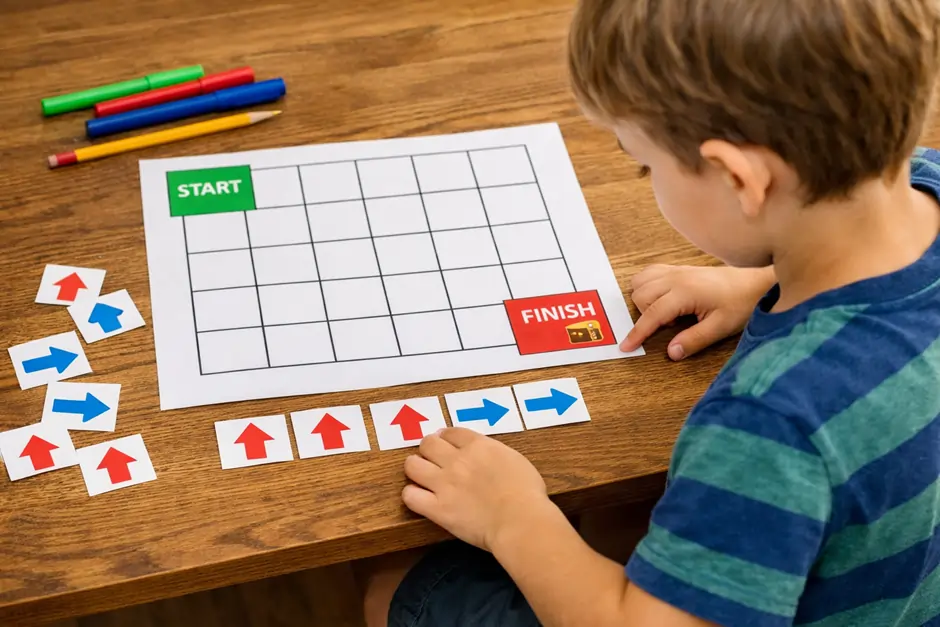
Draw a simple grid on paper and place a start point and an end point. Then create small arrow cards or draw arrows directly on paper. The child must arrange the arrows in the correct order to move from start to finish.
For example, if the child needs to move three boxes forward and then turn left, they must place those instructions in the proper sequence. If one arrow is missing or out of order, the path will not work.
Materials needed:
- Paper
- Pencil or markers
- Small cut-out arrows, optional
Why this activity works:
It introduces the idea that a sequence of commands controls movement. This is a basic but essential concept in programming. It also improves concentration because kids must think ahead before placing their arrows.
Helpful variation: Add “blocked” squares or obstacles on the grid so children must plan around them.
Learning outcome: Children practice step-by-step thinking and begin to understand how instructions are used to solve a problem.
3. Treasure Hunt Algorithm
Age group: 6 to 12 years
Skills developed: algorithms, sequencing, logical problem-solving
How it works:
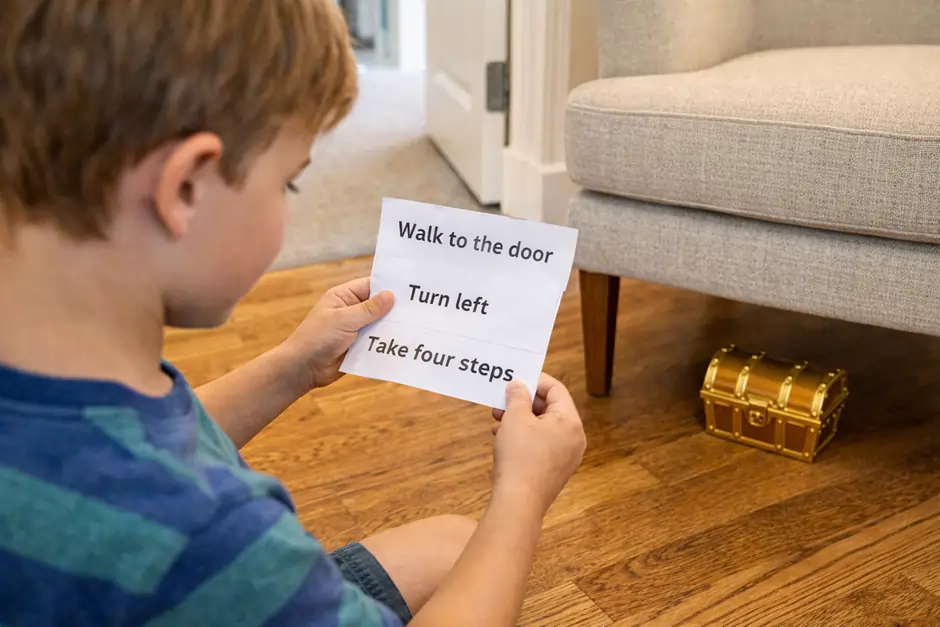
Hide a small object somewhere in the room or house. Then write a sequence of clues that lead the child from one location to the next. Each clue should be followed in a specific order.
For example:
- Walk to the door
- Turn left
- Take four steps
- Look under the chair
The child follows the sequence to reach the hidden object. You can make it easier for younger children and more complex for older ones.
Materials needed:
- A small hidden object
- Paper clues
Why this activity works:
This activity turns an algorithm into a physical experience. Children see that when each instruction is followed correctly, they reach the desired result. If they skip a step, the process fails.
Helpful variation: Ask children to create their own treasure hunt for a sibling or classmate. That adds an extra layer of coding practice because they must design the sequence themselves.
Learning outcome: Children learn how a set of instructions works together to solve a task from start to finish.
4. Story Sequencing Cards
Age group: 4 to 8 years
Skills developed: sequencing, logic, prediction, comprehension
How it works:
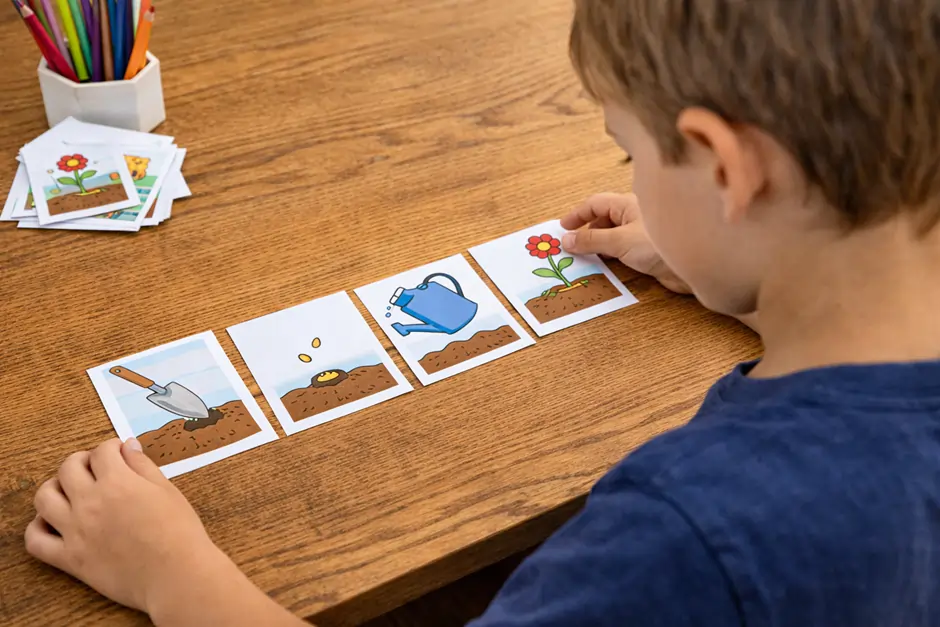
Prepare a short story using picture cards or simple sentence cards. Mix them up and ask the child to arrange them in the correct order. For example, a story about planting a flower might include these steps: dig the soil, place the seed, water it, and watch it grow.
This may seem simple, but it teaches a core programming idea. Just like a story must follow a logical sequence, code must also follow the correct order to make sense.
Materials needed:
- Printed picture cards or hand-drawn cards
- Simple stories or routines
Why this activity works:
Younger children may not yet be ready for more structured logic games, but they can understand order through stories. This makes it one of the most accessible coding activities for kids in early learning stages.
Helpful variation: Use daily life routines such as brushing teeth, making breakfast, or getting ready for school.
Learning outcome: Children begin to understand that order matters, and changing the order changes the outcome.
5. Cup Stacking Coding Game
Age group: 5 to 10 years
Skills developed: sequencing, patterns, instruction-following
How it works:
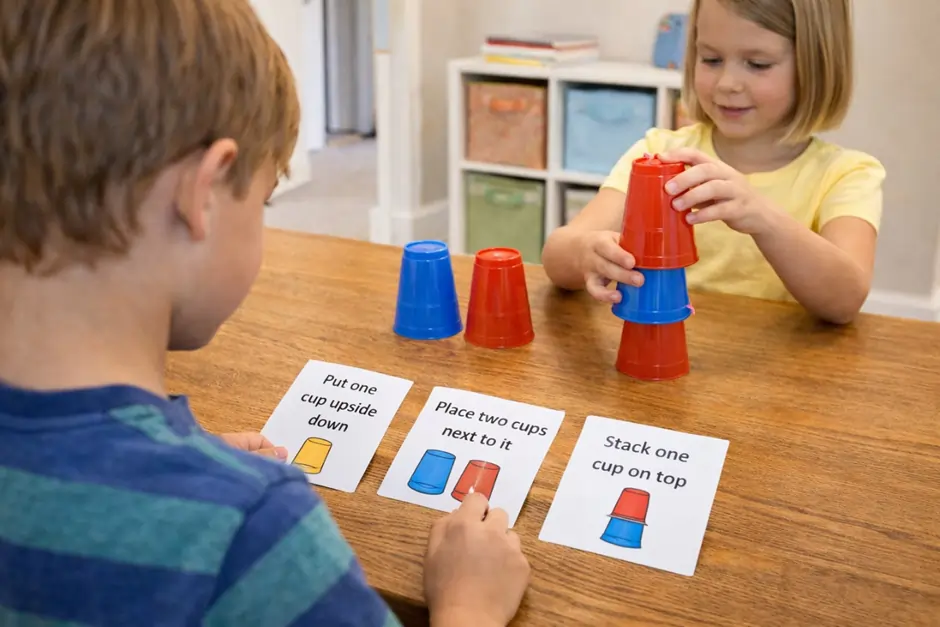
Give children a set of cups and ask them to create or copy a stack pattern using verbal or written instructions. One child can be the “coder” who gives directions, while another child follows them.
For example:
- Put one cup upside down
- Place two cups next to it
- Stack one cup on top
If the instructions are not specific enough, the structure may collapse or look different from the original.
Materials needed:
- Plastic or paper cups
Why this activity works:
It helps children connect verbal directions with physical actions. It also teaches them that details matter in step-based tasks.
Helpful variation: Create challenge cards with different stack designs and ask children to “code” the design for someone else to build.
Learning outcome: Children strengthen sequencing skills and see how instructions create a visible result.
Logic and Problem-Solving Coding Tasks
These activities build on the basics and introduce more structured thinking, debugging, and pattern recognition.
6. Paper Grid Coding
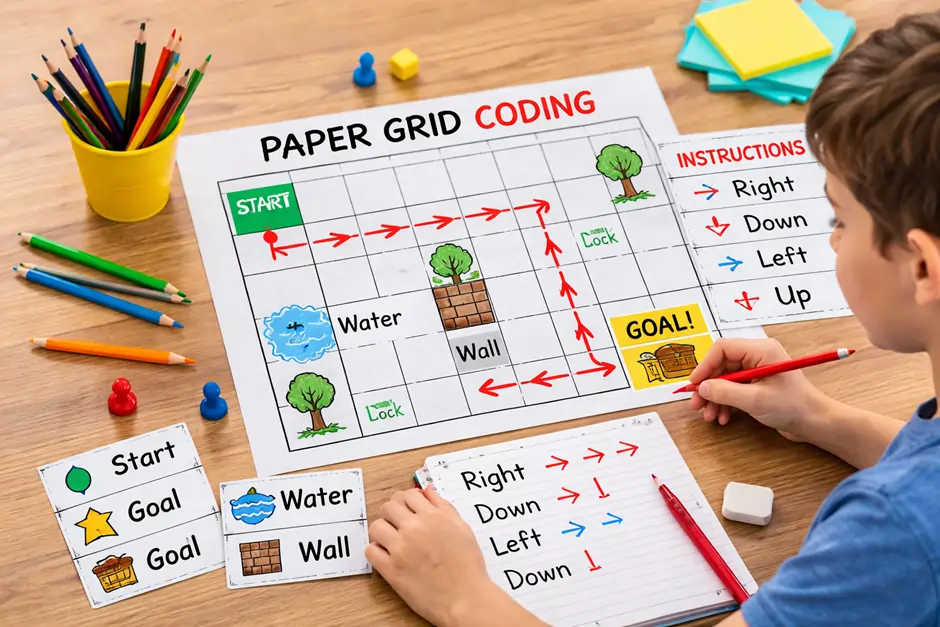
Age group: 6 to 10 years
Skills developed: algorithms, sequencing, route planning
How it works:
Draw a grid on paper. Mark one square as the starting point and another as the goal. Children must write or say the instructions needed to move from one point to the other using commands such as forward, backward, left, and right.
You can add obstacles like “water,” “lava,” or “walls” to make the challenge more interesting.
Materials needed:
- Paper
- Pencil
- Optional colored markers
Why this activity works:
This is a classic unplugged coding task because it directly mirrors path-based programming challenges. It helps children think about navigation, order, and planning before acting.
Helpful variation: Use a toy figure on the grid to make the activity more visual and engaging.
Learning outcome: Children practice breaking a problem into small, manageable commands.
7. Maze Navigation Game
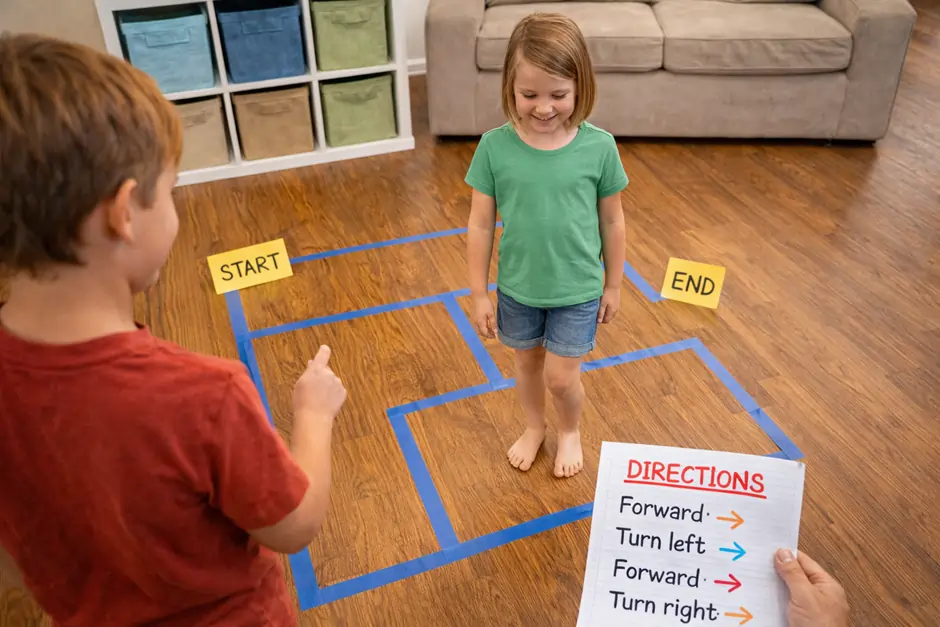
Age group: 6 to 12 years
Skills developed: algorithms, problem-solving, critical thinking
How it works:
Create a simple maze on paper or use tape on the floor to make a walkable path. Then ask the child to solve it by giving instructions one step at a time. Another child or adult can act as the “robot” moving through the maze.
If the path does not work, children go back, identify the wrong step, and try again.
Materials needed:
- Paper maze or tape for floor maze
- Pencil, optional
Why this activity works:
It combines planning and debugging. Children must think ahead, test their logic, and revise mistakes. That is exactly the kind of thinking used in programming.
Helpful variation: Blindfold the person moving through the maze, while another child gives coded directions. This increases focus on verbal accuracy.
Learning outcome: Children learn that coding often involves testing, correcting, and improving instructions.
8. LEGO Instruction Challenge
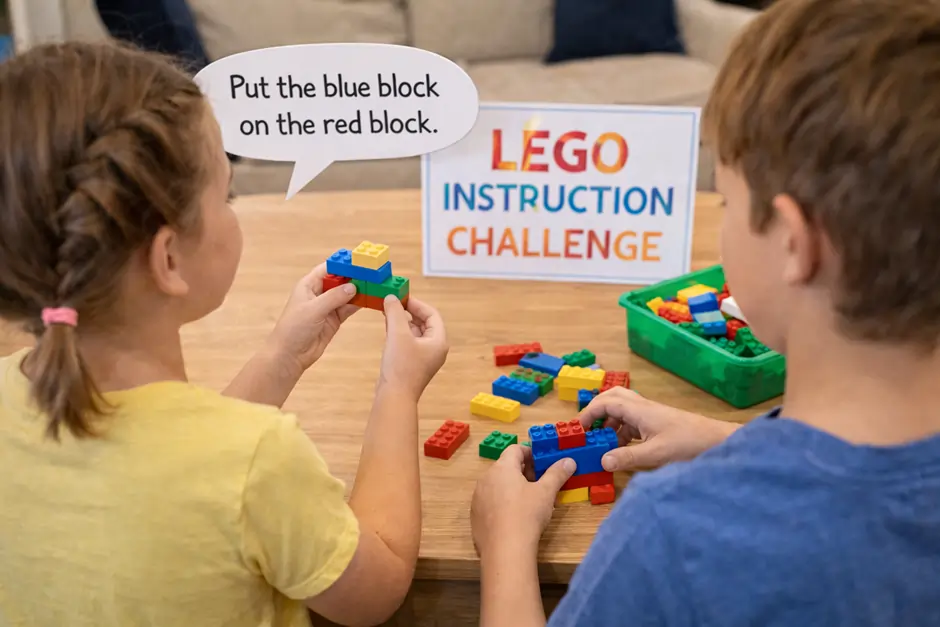
Age group: 7 to 12 years
Skills developed: communication, sequencing, debugging, spatial thinking
How it works: One child secretly builds a small structure using blocks. Then they must explain how to rebuild it without showing it to the other child. The second child can only rely on the spoken instructions.
For example, saying “put the blue block on top” may not be enough. The child may need to say “put the blue block on the red block, on the left side, with the long edge facing forward.”
Materials needed:
- LEGO or similar building blocks
Why this activity works:
This activity makes children aware of how specific coding language needs to be. It also shows that when the result is wrong, the issue may be in the instructions, not the builder.
Helpful variation: After the first attempt, compare both structures and ask children to identify where the instructions were unclear.
Learning outcome: Children improve algorithmic thinking and understand the importance of precise commands.
9. Pattern Block Programming
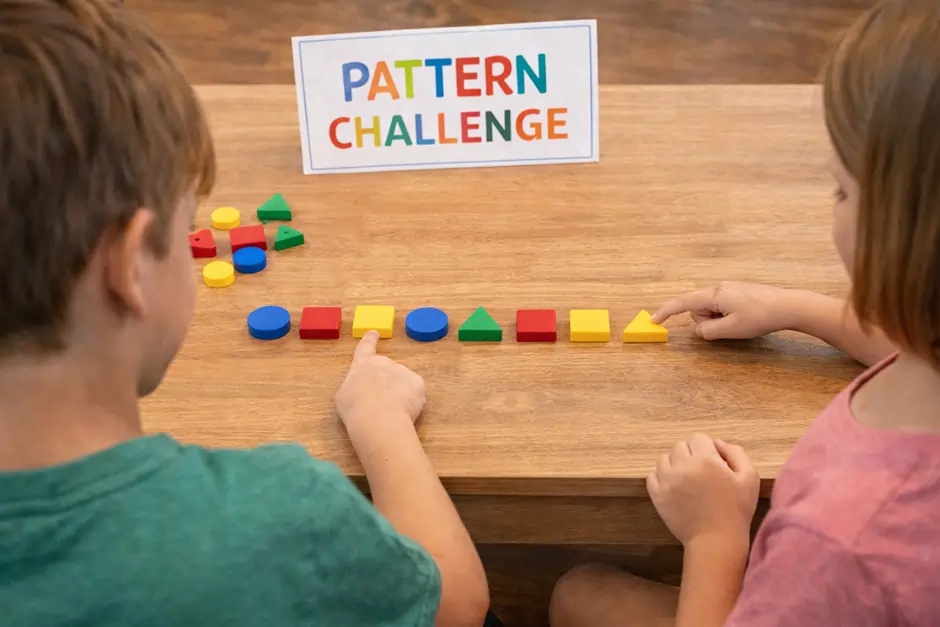
Age group: 5 to 9 years
Skills developed: pattern recognition, prediction, logic
How it works:
Use colored blocks, shapes, buttons, or paper cutouts to create a repeating sequence. For example, circle, square, circle, square. Ask the child to continue the pattern, copy it, or create their own pattern for someone else to solve.
As children progress, you can make patterns more complex by adding three or four repeating elements.
Materials needed:
- Blocks, shapes, beads, or paper cutouts
Why this activity works:
Pattern recognition is a major part of computational thinking. Children learn to notice repetition, identify rules, and predict what comes next.
Helpful variation:
Ask children to explain the rule behind the pattern before they continue it.
Learning outcome:
Children become more confident in identifying structures and repeated logic.
10. Debug the Teacher Game

Age group: 6 to 12 years
Skills developed: debugging, attention to detail, reasoning
How it works:
In this activity, the adult intentionally makes mistakes while following a simple task. For example, while pretending to make a sandwich, the teacher may place the bread on top of the jam jar or skip an important step. Children must spot the mistake and explain how to fix it.
You can also do this with classroom routines, drawing tasks, or movement instructions.
Materials needed:
- Everyday objects related to the task
- Optional written instructions
Why this activity works:
Children often enjoy catching mistakes, which makes this a fun way to teach debugging. It shows that errors are a normal part of learning and that fixing them is part of the process.
Helpful variation: Let children take turns being the “buggy programmer” while others find and fix the error.
Learning outcome: Children learn that mistakes are useful clues and that reviewing steps carefully leads to better results.
Advanced Unplugged Coding Fun
These final five activities introduce loops, conditionals, binary logic, and teamwork in more creative ways.
11. Simon Says Coding Version
Age group: 5 to 8 years
Skills developed: conditional thinking, listening, focus
How it works:
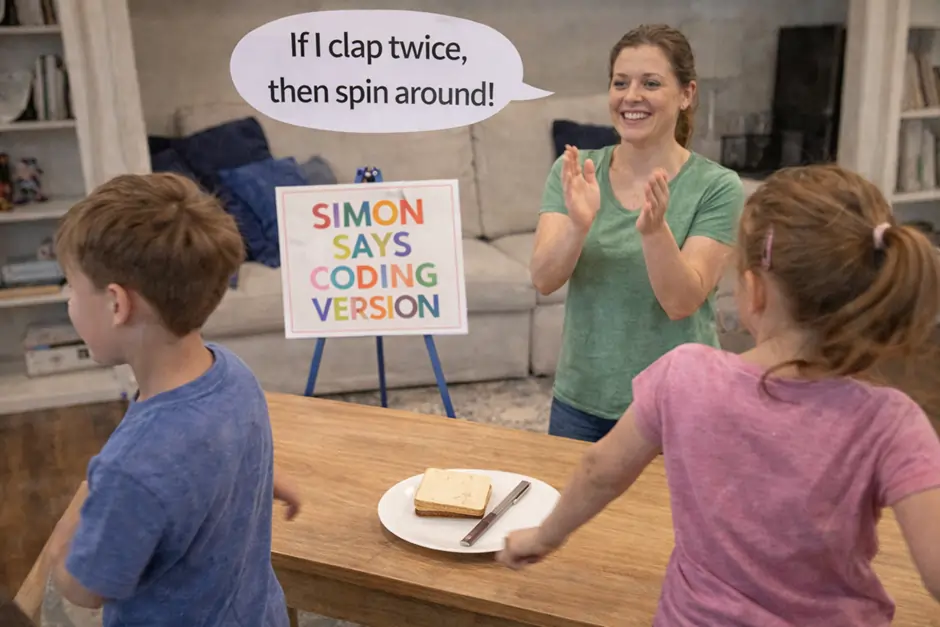
Play Simon Says, but add rule-based instructions. For example, “If I touch my head, jump once,” or “If I clap twice, spin around.” Children must respond based on the condition, not just the action itself.
This turns a simple game into an introduction to if/then logic.
Materials needed:
- None
Why this activity works:
Conditional statements are a major part of programming. This game helps children understand that actions can depend on specific triggers or rules.
Helpful variation: Use color cards or hand signals instead of spoken instructions for a more visual challenge.
Learning outcome: Children learn how decisions in coding are based on conditions.
12. Condition Cards Game
Age group: 7 to 12 years
Skills developed: conditional logic, quick decision-making, reasoning
How it works:
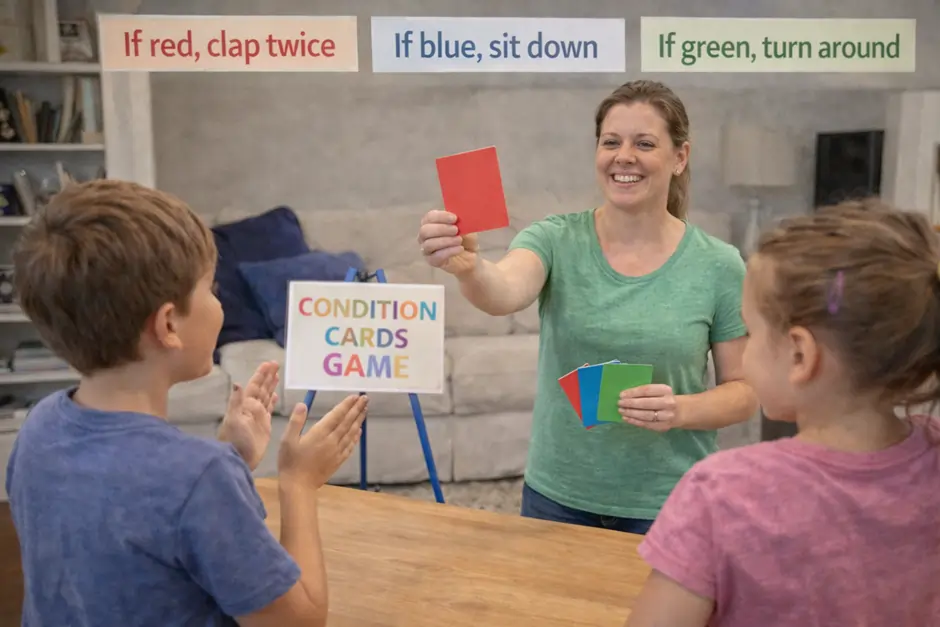
Prepare cards with different colors, symbols, or words. Assign each one a specific action. For example:
- If the card is red, clap twice
- If the card is blue, sit down
- If the card is green, turn around
Show the cards one by one, and children must react correctly according to the assigned rules.
Materials needed:
- Colored or labeled cards
Why this activity works:
This activity gives children repeated practice with decision-based thinking. It is simple to set up but highly effective for introducing logic structures.
Helpful variation: Combine two conditions, such as “If the card is red and has a star, jump.” This makes the activity more advanced.
Learning outcome: Children build strong foundations in rule-based logic and decision-making.
13. Dance Routine Coding
Age group: 5 to 10 years
Skills developed: loops, sequencing, memory, coordination
How it works:
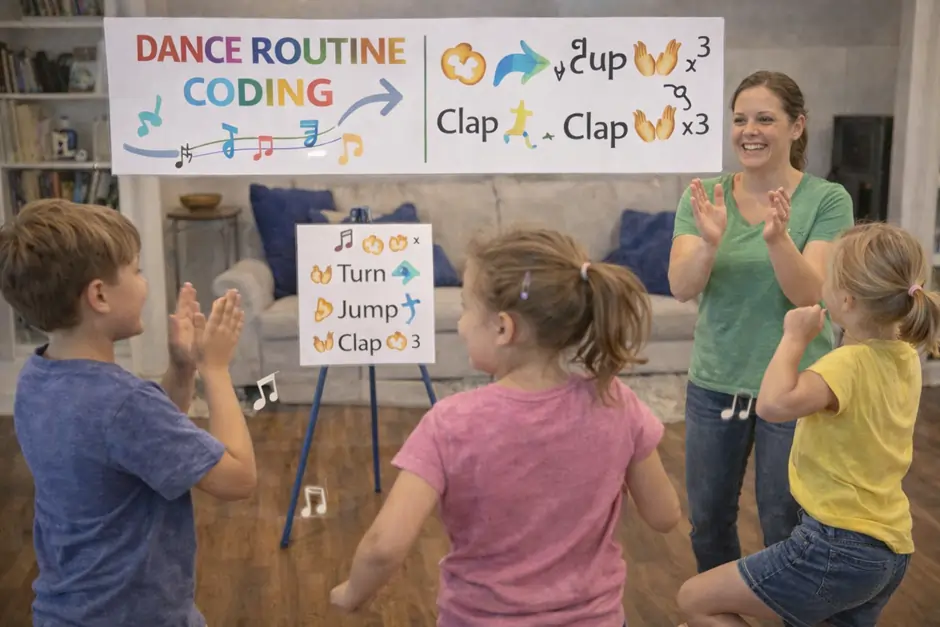
Create a short movement sequence such as clap, turn, jump, clap. Then ask children to repeat it several times. Explain that instead of giving the same set of instructions again and again, programmers often use loops to repeat actions.
You can even write the sequence on paper and mark how many times it repeats.
Materials needed:
- Open space
- Music, optional
Why this activity works:
Movement makes abstract ideas easier to understand. Children can physically feel what repetition means, which helps them understand loops in a natural way.
Helpful variation: Ask children to design their own “coded dance” and teach it to others.
Learning outcome: Children understand that repeated actions can be grouped together as a loop.
14. Binary Bead Bracelet
Age group: 8 to 12 years
Skills developed: binary logic, patterning, symbolic thinking
How it works:
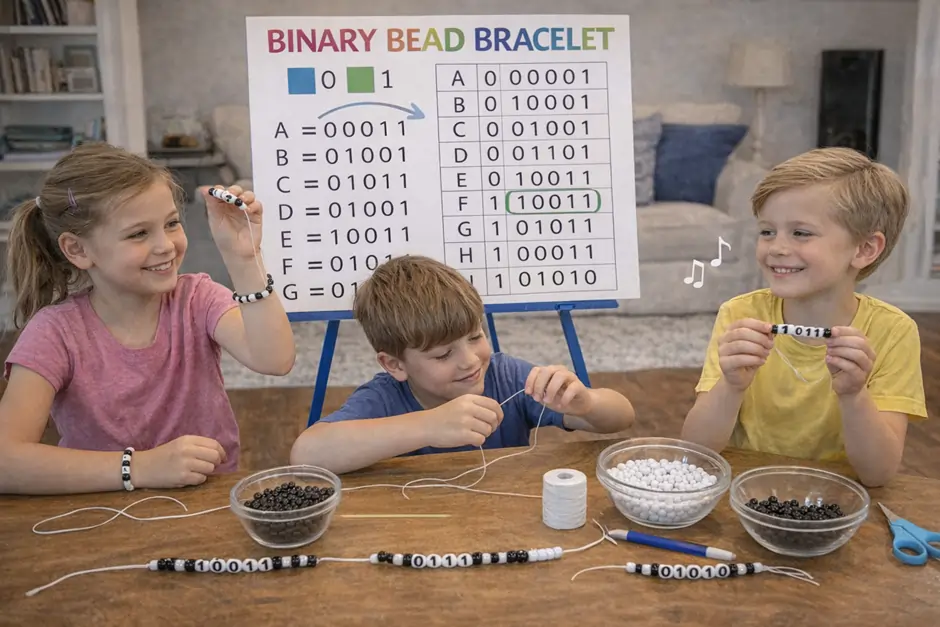
Assign one bead color to 0 and another bead color to 1. Then use a simple binary chart to encode letters or short messages. Children can create bracelets that represent initials, words, or secret codes.
Even if the child does not fully master binary at first, the activity introduces the idea that computers use simple signals to represent information.
Materials needed:
- Two colors of beads
- String or thread
- Simple binary alphabet chart
Why this activity works:
It gives older children a concrete introduction to how computers store information. It also combines coding ideas with creativity, which keeps the activity engaging.
Helpful variation: Have children exchange bracelets and decode each other’s messages.
Learning outcome: Children discover that digital systems are built on simple binary patterns.
15. Obstacle Course Coding
Age group: 6 to 12 years
Skills developed: algorithms, teamwork, communication, sequencing
How it works:
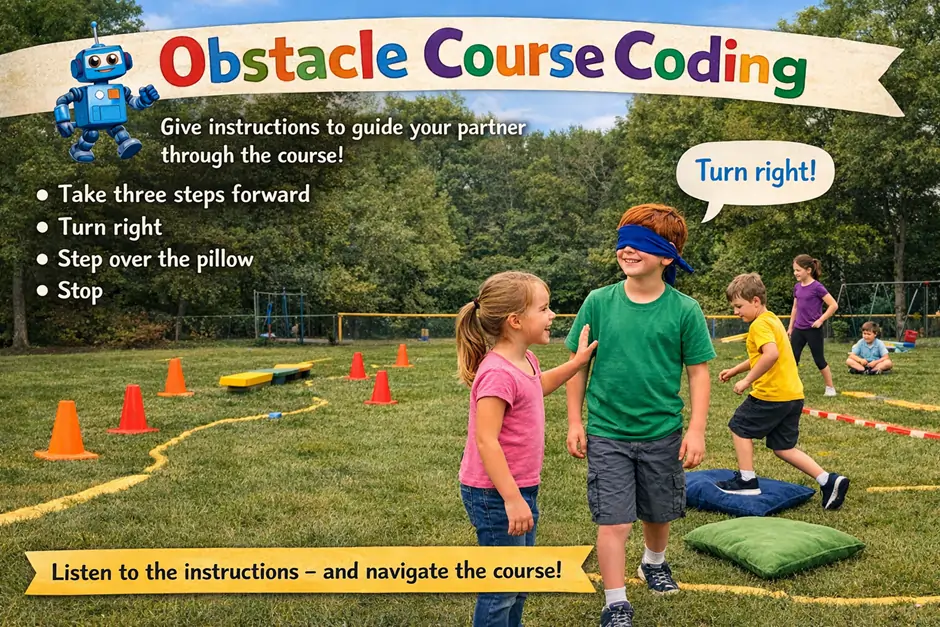
Set up a simple obstacle course using pillows, cones, chairs, or tape marks. One child must guide another child through the course using only spoken instructions. The child moving through the course may close their eyes or face away to increase the challenge.
Instructions might include:
- Take three steps forward
- Turn right
- Step over the pillow
- Stop
Materials needed:
- Household objects or classroom items
- Open space
Why this activity works:
This is one of the most active coding activities for kids, and it combines physical movement with computational thinking. It also teaches trust, listening, and teamwork.
Helpful variation: Let children write down the full set of instructions first, then test whether the “program” works.
Learning outcome: Children learn how algorithms guide action in the real world and how important accuracy is in any coded process.
Quick Comparison Table of the 15 Activities
| Activity | Main Concept | Best For |
|---|---|---|
| Human Robot Game | Sequencing | Beginners |
| Coding With Arrows | Directional logic | Young learners |
| Treasure Hunt Algorithm | Algorithms | Home or classroom |
| Story Sequencing Cards | Order of steps | Early learners |
| Cup Stacking Coding Game | Sequencing | Hands-on practice |
| Paper Grid Coding | Step-by-step logic | Beginners to intermediate |
| Maze Navigation Game | Problem-solving | Older kids |
| LEGO Instruction Challenge | Precision and debugging | Pairs or groups |
| Pattern Block Programming | Pattern recognition | Early logic building |
| Debug the Teacher Game | Debugging | Group play |
| Simon Says Coding Version | Conditionals | Younger children |
| Condition Cards Game | If/then logic | Fast-paced learning |
| Dance Routine Coding | Loops | Active learners |
| Binary Bead Bracelet | Binary logic | Older kids |
| Obstacle Course Coding | Algorithms and teamwork | Group activity |
These coding activities for kids show that programming concepts can be taught in playful, practical, and memorable ways without any screens. They help children build logic, confidence, and creativity first, which makes future digital coding much easier to understand.
Start Your Child’s Coding Journey with Expert-Led Online Classes
If your child enjoys these coding activities for kids, the next step is guided learning with real structure and expert support. At Embassy Education, our online coding classes are designed specifically for young learners, combining creativity, logic, and hands-on projects in a safe and engaging environment. From beginner-friendly courses like Scratch to more advanced Python programs, each class focuses on building real skills step by step while keeping learning fun and interactive. With experienced instructors, small group sessions, and a curriculum built around practical outcomes, your child can confidently move from basic concepts to creating their own projects.
View Coding CoursesHow To Choose The Right Coding Activities For Kids
Not every activity works the same for every child. The effectiveness of coding activities for kids depends on factors like age, learning style, and environment. Choosing the right activity ensures that children stay engaged and actually understand the concepts instead of feeling confused or bored.
Here is a practical way to select the most suitable activities:
1. Choose Based on Age and Development Level
Children at different ages process information differently, so the activity should match their ability to understand instructions and logic.
| Age Group | Recommended Activity Type | Focus Area |
|---|---|---|
| 4 to 6 years | Story sequencing, simple games | Basic order and patterns |
| 6 to 8 years | Movement-based and visual tasks | Sequencing and directions |
| 8 to 12 years | Logic games and structured challenges | Algorithms and problem-solving |
For younger kids, keep instructions simple and visual. For older children, introduce challenges that require planning and reasoning.
2. Consider Individual vs Group Learning
Some children learn better alone, while others thrive in group settings.
- Individual activities
Best for focus, independent thinking, and self-paced learning
Examples: paper grid coding, pattern building - Group activities
Best for communication, teamwork, and real-world interaction
Examples: human robot game, obstacle course coding
A balanced mix of both helps children develop a wide range of skills.
3. Indoor vs Outdoor Activities
The environment can affect how engaged children feel.
- Indoor activities
Ideal for structured learning and quiet focus
Examples: story cards, binary bracelet, LEGO challenges - Outdoor activities
Great for energy, movement, and active learning
Examples: obstacle course coding, treasure hunts
If a child has high energy levels, outdoor coding activities for kids can be much more effective.
4. Match the Activity With Skill Level
Start simple and gradually increase difficulty. Jumping into complex tasks too early can lead to frustration.
- Beginner level
Focus on sequencing and simple instructions - Intermediate level
Introduce problem-solving and debugging - Advanced level
Add conditions, loops, and multi-step challenge
Progression is important. Each activity should build on what the child already understands.
5. Focus on Interest and Engagement
Children learn best when they enjoy what they are doing. Pay attention to their interests and choose activities accordingly.
- For creative kids → storytelling, dance coding, pattern games
- For active kids → obstacle courses, role-play games
- For analytical kids → grid coding, maze challenges
When children are interested, they stay motivated and learn faster.
Quick Checklist for Choosing the Right Activity
- Is the activity suitable for the child’s age?
- Does it match their energy level?
- Is it simple enough to understand but still challenging?
- Does it encourage thinking rather than memorizing?
- Can it be adjusted if needed?
Choosing the right coding activities for kids is not about finding the most advanced option. It is about creating the right balance between fun, challenge, and learning. When the activity fits the child well, they naturally develop the skills needed for coding without even realizing it.
Benefits Of Coding Activities For Kids In Early Development
Introducing coding activities for kids at an early age goes far beyond learning technology. These activities help shape how children think, solve problems, and interact with the world around them. Even without screens, the skills developed through these activities play a key role in overall growth.
Here are the most important benefits:
1. Strengthens Logical Thinking
Coding teaches children to think in a structured way. They learn that every action follows a sequence and that small changes can affect the outcome. For example, when a child gives step-by-step instructions in a game, they begin to understand how logic works in real situations.
Why it matters: Logical thinking helps in subjects like math, science, and even everyday decision-making.
2. Improves Problem-Solving Skills
Many coding activities involve challenges that need solutions. Children learn to break down problems into smaller steps and test different approaches. For instance, if a maze path does not work, they must rethink and try again.
Why it matters: This ability to analyze and solve problems is useful in academics and real-life situations.
3. Encourages Creativity and Innovation
Coding is not only about rules. It also allows children to create, design, and experiment. Activities like storytelling, pattern building, or designing obstacle courses give children the freedom to think creatively while still following logical structures.
Why it matters: Creative thinking helps children come up with new ideas and approach challenges in unique ways.
4. Builds Confidence Through Achievement
When children complete a task or solve a challenge, they feel a sense of accomplishment. Even small successes can boost their confidence. For example, successfully guiding a “robot” through an obstacle course shows them that their thinking works.
Why it matters: Confidence encourages children to try new things and take on more complex challenges.
5. Enhances Communication Skills
Many coding activities for kids involve giving and receiving instructions. Children learn how to explain their ideas clearly and listen carefully to others.
Why it matters: Good communication is essential in school, teamwork, and future careers.
6. Promotes Collaboration and Teamwork
Group activities teach children how to work together, share ideas, and solve problems as a team. For example, in games like the human robot or obstacle course coding, children must cooperate to achieve a goal.
Why it matters: Teamwork skills are important in both academic and social environments.
7. Develops Patience and Persistence
Coding often involves trial and error. Children learn that mistakes are part of the process and that success comes with effort.
Why it matters: This builds resilience and helps children stay motivated even when tasks are challenging.
8. Prepares Kids for Future Learning
Even though these are screen-free activities, they build the exact thinking skills needed for real programming later on. Children who understand sequencing, logic, and problem-solving find it much easier to learn coding languages in the future.
Quick Overview of Key Benefits
| Benefit | Impact on Child Development |
|---|---|
| Logical Thinking | Better reasoning and analysis |
| Problem-Solving | Stronger decision-making skills |
| Creativity | Innovative thinking |
| Confidence | Willingness to explore and learn |
| Communication | Clear expression of ideas |
| Teamwork | Improved collaboration |
| Persistence | Ability to handle challenges |
Common Mistakes To Avoid When Teaching Coding To Kids
While coding activities for kids can be fun and highly beneficial, the way they are introduced makes a big difference. Small mistakes in approach can reduce interest or make learning feel difficult. Avoiding these common issues helps children stay engaged and build strong foundations.
1. Making Activities Too Complex Too Early
One of the most common mistakes is introducing advanced concepts before a child is ready. Jumping straight into multi-step challenges or abstract logic can overwhelm beginners.
2. Focusing Only on the Final Result
Many adults focus on whether the child “gets it right,” rather than how they think through the process.
3. Not Allowing Mistakes
Mistakes are a natural part of coding. When children feel pressured to be perfect, they may lose confidence or interest.
4. Turning It Into a Formal Lesson
If coding feels like schoolwork, children may lose motivation. Coding activities should feel like play, not a strict lesson.
5. Giving Instructions Instead of Encouraging Thinking
When adults provide all the answers, children do not get the chance to think independently.
6. Ignoring the Child’s Interest Level
Not every child enjoys the same type of activity. Forcing an activity that does not match their interest can reduce engagement.
7. Overusing Repetition Without Variation
While repetition is important, doing the same activity repeatedly without change can become boring.
Quick Summary of Mistakes and Solutions
| Common Mistake | Better Approach |
|---|---|
| Too complex too early | Start simple and build gradually |
| Focus on results | Focus on thinking process |
| Not allowing mistakes | Encourage trial and error |
| Too formal | Keep it playful |
| Giving answers directly | Ask guiding questions |
| Ignoring interests | Adapt to the child |
| Repetition without variation | Introduce new challenges |
Screen-Free Coding vs Digital Coding, Which Is Better?
Parents often wonder whether children should start with screen-free learning or jump directly into digital coding tools. The truth is, both approaches have value, but they serve different purposes at different stages of learning.
Understanding the difference helps you choose the right balance for your child.
| Factor | Screen-Free Coding | Digital Coding |
|---|---|---|
| Focus | Thinking and logic | Application and creation |
| Tools Required | Everyday materials | Devices and software |
| Engagement Style | Physical and interactive | Visual and digital |
| Learning Stage | Beginner | Intermediate to advanced |
| Screen Time Impact | None | Moderate to high |
Turn Curiosity Into Real Coding Skills with Embassy Education
Many children start with simple games and activities, but structured guidance helps them go much further. Embassy Education offers a complete learning path where kids can progress from understanding basic logic to developing real coding abilities through live online classes. The programs are designed to match different age groups and skill levels, ensuring that every child learns at the right pace. By combining interactive teaching, project-based learning, and continuous support, these classes help children build confidence, creativity, and future-ready digital skills in a meaningful way.
View Coding CoursesFAQs About Coding Activities For Kids
Logical thinking
Problem-solving
Creativity
Communication
Patience and persistence
Teamwork
These skills are useful not only in programming but also in everyday life and academic learning.
Conclusion
Coding is not just about computers. It is a way of thinking, solving problems, and understanding how things work step by step. By introducing coding activities for kids without screens, you give children the opportunity to build these essential skills in a natural and engaging way.
From simple games like the human robot to more structured challenges like obstacle course coding, each activity helps children develop logic, creativity, and confidence. These experiences create a strong foundation that makes future learning, including digital programming, much easier.
The most important thing is to keep the process enjoyable. When children learn through play, they stay curious, motivated, and open to exploring new ideas.
Starting with screen-free coding today can shape how children think and learn for years to come.
Editor: Michael Mitryakov | Writer: Negin
Did you Like this article? Hit the button :)
Array