ChatGPT for Kids: Benefits, Risks, and How to Use It Wisely
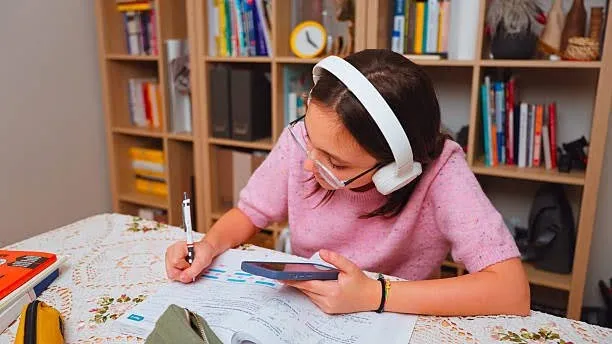
You are making dinner. Your 10-year-old is at the kitchen table doing homework. You glance over and notice they are not searching Google. They are chatting with an AI. It happened fast, did it not?
ChatGPT for kids has quietly become one of the most searched topics among parents in 2026, and for good reason. This AI chatbot is everywhere: embedded in school tools, referenced on YouTube, and discussed in classrooms. Whether your child has already used it or you are trying to stay ahead of the curve, this guide gives you the full picture: what ChatGPT actually is, how it genuinely helps children, where the real dangers lie, and exactly how to set it up safely at home.
No fear-mongering. No vague advice. Just honest, practical information you can act on today.
What Is ChatGPT for Kids, and Why Are They Using It?
ChatGPT for kids is one of the most discussed AI tools of 2026. Developed by OpenAI, it is an AI chatbot It uses a large language model to understand questions and respond in natural, conversational language. Think of it as texting a very knowledgeable assistant who replies instantly, never gets tired, and always has something to say.
That description alone explains why children are drawn to it. Unlike a search engine that hands you ten blue links, ChatGPT for kids provides a direct, flowing answer. For a curious 9-year-old wondering why the sky is blue or a 13-year-old stuck on a history essay, that feels almost magical.
The numbers back this up. According to Pew Research data from 2025, about 61% of kids aged 12–17 have tried ChatGPT, and OpenAI reports more than 200 million weekly active users worldwide. A significant slice of that audience is young.
Who Can Officially Use ChatGPT?
OpenAI’s official age requirement is 13 years old to create an account. In some regions, children aged 13–17 need parental consent. Users under 13 are not permitted. Despite this, children as young as 8 and 9 regularly access it through family devices, shared school computers, or friends’ accounts.
This gap between policy and reality is exactly why parents need to engage with this topic rather than assume their child is not involved.
The Real Benefits of ChatGPT for Kids
When used with intention and guidance, ChatGPT for kids can be a genuinely powerful learning companion. Here are the benefits worth knowing about.
1. Homework Help That Actually Explains
ChatGPT for kids does not just give answers. It explains reasoning. A child struggling with fractions can ask, “Why do I flip the fraction when dividing?” and get a step-by-step explanation tailored to how they phrased the question. This is far more engaging than rereading a textbook paragraph.
It also adapts. If your child says, “explain it more simply,” it does. That flexibility mirrors what a good tutor does, and for many families, it makes quality academic support more accessible.
2. A Spark for Creative Thinking
Got a child who loves to write stories but stares at a blank page? ChatGPT for kids is brilliant for creative brainstorming. Kids can ask it to suggest a plot twist, invent a character, or build a fictional world to explore.
One parent shared this experience on a parenting forum: her 11-year-old used ChatGPT to co-write a short story about a robot who wanted to be a chef. She wrote the ending herself, feeling proud that the idea was hers but the starting point came from a conversation with AI. That creative collaboration is genuinely valuable.
3. Learning to Ask Better Questions
AI chatbots perform best when prompts are specific and clear. A vague question gets a vague answer. A precise, well-framed question gets a precise, well-framed response. Over time, children who use ChatGPT regularly develop a skill that matters deeply in academics and real life: learning how to ask good questions.
This is a form of communication and critical thinking that most school curricula do not explicitly teach.
4. An Introduction to AI Literacy
By 2030, the ability to work with AI tools will be a baseline professional skill across most industries. Children who understand how ChatGPT works, including its strengths, its errors, and its limitations, are building AI literacy early. That is genuinely a head start.
At Embassy Education, we see this firsthand with young coders. Kids who learn to interact with AI thoughtfully rather than blindly develop a healthier, more powerful relationship with technology overall.
5. Support for Different Learning Styles
Some children absorb information better through conversation than through reading. For kids with dyslexia, ADHD, or other learning differences, ChatGPT can rephrase complex text into simpler language, adjust reading levels, and repeat information in different ways without frustration. That kind of patience is hard to replicate in a busy classroom.
6. Coding Assistance for Young Learners
For kids who are learning to code, whether through Scratch, Python, or Roblox, ChatGPT for kids can explain why a piece of code is not working, suggest how to approach a project, or introduce new programming concepts in an approachable language. It functions as an always-available coding mentor, which is a huge advantage for self-paced learners.
The Risks of ChatGPT for Kids (And What They Actually Mean)
Now for the honest part. The risks are real, and minimising them requires understanding them clearly rather than reacting with blanket bans.
Risk 1: AI Can Produce Inaccurate Information Confidently
ChatGPT for kids can present what experts call “hallucinated” information, a term used when AI generates information that sounds authoritative but is factually wrong. It might cite a book that does not exist, give an incorrect historical date, or explain a scientific concept with subtle errors.
For a child who trusts it completely, this is dangerous. They may submit incorrect information in schoolwork or, worse, internalise a false belief.
What this means in practice: Children need to learn early that ChatGPT for kids is a starting point, not a final source. Verify facts. Cross-check with a textbook or a trusted website. Treat it like a very smart friend who sometimes gets things wrong.
Risk 2: Academic Dishonesty
This is the risk schools talk about most. ChatGPT for kids can write an entire essay in seconds. If a child submits it as their own work, that is plagiarism, and most schools have zero-tolerance policies for it. Beyond the ethical issue, the child misses the actual learning that happens through the struggle of writing.
Teachers are increasingly familiar with AI-generated text, and detection tools are improving. But even if a child is never caught, the higher cost is invisible: they did not build the skill.
What this means in practice: Set clear rules that ChatGPT helps think, not does the work. More on this below.
Risk 3: Data Privacy Concerns
By default, OpenAI stores conversation history. Children who casually mention their name, school, age, location, or personal situations are contributing that information to a database they cannot control. Most children do not think about this at all.
A child processing a difficult friendship might describe real events, real names, and real feelings without considering that this data exists somewhere.
What this means in practice: Teach children to treat ChatGPT for kids conversations like a public space, not a private diary. Never share personal details.
Risk 4: Emotional Reliance
ChatGPT for kids is endlessly patient, non-judgmental, and always available. For a child going through social difficulties or emotional turbulence, it can feel easier to talk to an AI than a parent or friend. This is understandable, but it is also a pattern to watch closely.
ChatGPT cannot truly understand your child. It does not know their history, their relationships, or what they actually need. Emotional support from an AI is, at best, a surface response.
What this means in practice: Make sure your child has strong real-world relationships to lean on. Be someone they can talk to. If you notice your child turning to AI for emotional conversations regularly, that is worth addressing directly.
Risk 5: Exposure to Inappropriate or Misleading Content
ChatGPT for kids has content filters built in, but they are imperfect. In testing, researchers found that around 6% of attempts to generate problematic content slipped through in subtle forms. Children are also resourceful. Some have learned to rephrase requests using role-play scenarios or hypothetical framings to get different results.
What this means in practice: Supervision matters more than you might expect, especially for younger or more curious users. Use device-level controls and review chat history periodically.
Risk 6: Erosion of Critical Thinking
If a child always reaches for ChatGPT for kids the moment they face a hard question, they gradually stop developing the habit of working through difficulty independently. Problem-solving, intellectual persistence, and the ability to sit with uncertainty are all muscles that atrophy without practice.
What this means in practice: Create clear rules about when ChatGPT is and is not an appropriate tool. Maths problem sets, for example, are practice, not research tasks.
Benefits vs. Risks: A Quick Comparison
| Benefits | Risks | |
|---|---|---|
| Learning | Explains concepts clearly, adapts to learning style | Can give confident but incorrect information |
| Creativity | Sparks ideas, supports storytelling and projects | May reduce creative struggle that builds skill |
| Homework | Breaks down complex topics, answers questions | Can complete work for children if misused |
| Skills | Builds AI literacy, improves how kids ask questions | May erode independent thinking over time |
| Accessibility | Helps kids with learning differences | Not designed for emotional support |
| Privacy | Encrypted communications | Stores conversation data; kids may overshare |
Age-by-Age Guide: Is ChatGPT for Kids Appropriate?
Not all children are ready for the same level of access. Here is a practical framework.
| Age | Recommended Approach |
|---|---|
| Under 8 | No direct access. Use purpose-built educational AI tools designed for early learners. |
| 8–10 | Adult-supervised only. Explore it together as a learning activity, not an independent tool. |
| 11–12 | Limited supervised access with clear rules. Parent reviews chat history regularly. |
| 13–15 | Guided independent use. Parental controls enabled. Open ongoing conversations about use. |
| 16–17 | More autonomy with established family guidelines on academic integrity and privacy. |
How to Set Up Chat GPT for Kids Safely
If you decide to allow your child to use ChatGPT for kids, the setup matters. Here is how to do it right.
Step 1: Use Your Email, Not Your Child’s
Create or use an existing account registered to you. This means you have full visibility and control, including the ability to review all chat history and delete the account if needed.
Step 2: Adjust the Privacy Settings
- Go to Settings > Data Controls
- Toggle OFF “Improve the model for everyone” to prevent your child’s conversations from being used to train AI
- Consider enabling Temporary Chat mode for more sensitive sessions
Step 3: Add Custom Instructions
In the Personalisation section, add something like: “This account is used by a 12-year-old child. Please keep all responses age-appropriate, educational, and safe.”
It is not a foolproof filter, but it adds a meaningful layer of context.
Step 4: Enable Parental Controls (for Teens)
As of late 2025, OpenAI rolled out a parental controls system for users aged 13–17. To activate it:
- Go to Settings > Parental Controls > Add Family Member
- Invite your teen by email or phone number
- Customise settings, including sensitive content filters and model training opt-out
Note: these controls require your teen’s consent to link accounts and do not apply to children under 13.
Step 5: Keep Devices in Shared Spaces
Simple but effective. When your child uses ChatGPT for kids in the living room rather than behind a closed bedroom door, you naturally stay aware of what is happening.
Ground Rules to Set Before Your Child Uses ChatGPT for Kids
Have this conversation before your child starts, not after something goes wrong.
- Never share personal information. No name, school, location, age, or photos
- ChatGPT helps you think, but it does not think for you. You write your essays, solve your maths, and form your own opinions
- Always check the facts. If ChatGPT tells you something important, verify it somewhere else
- It is not a therapist or a friend. If you are upset or worried about something real, talk to me, not the AI
- I can see your conversations, not to spy, but because that is how we stay safe online together
Framing the last point as a shared safety practice rather than surveillance makes a real difference in how your child receives it.
Smart Ways to Actually Use ChatGPT for Kids
When the ground rules are in place, here are genuinely great use cases.
For learning:
- “Explain the water cycle in simple terms, like I am 10 years old”
- “Give me five quiz questions about the Roman Empire”
- “I do not understand why this Python code is giving me an error. Can you help me figure it out?”
For creativity:
- “Help me brainstorm ideas for a short story about a kid who discovers a hidden door”
- “What are three interesting angles I could take for my science project on volcanoes?”
For understanding (not doing):
- “Can you walk me through how to solve this type of maths problem, but do not give me the answer?”
- “What does this poem mean? What themes is the poet exploring?”
That last example is the key insight: using ChatGPT for kids to understand rather than to generate is almost always the wiser approach.
What to Do If Something Goes Wrong
Even with a good setup, unexpected things happen. Here is how to handle them calmly.
- Stay calm. Your reaction sets the tone for whether your child comes to you in future
- Ask your child to show you what happened. Understand it fully before responding
- Treat it as a teaching moment, not a punishment trigger
- Report the output to OpenAI using the thumbs-down feedback button
- Review your settings and custom instructions to reduce similar outcomes
- Revisit the rules together and update them if needed
The families who navigate AI the best are not those who avoid all contact with it. They are the ones who keep the communication open.
Safer Alternatives for Younger Children
If your child is under 10, or you simply want a more age-appropriate starting point, several purpose-built tools offer AI-like learning experiences with stronger child safety by design:
- Khanmigo (Khan Academy): an AI tutor designed specifically for students, focused on guiding rather than answering
- Curious George AI and similar learning apps built for early childhood
- Scratch: while not AI-powered in the same way, it teaches children to interact creatively with computational thinking
These platforms are built from the ground up with children in mind, which makes a meaningful difference.
Want Your Child to Do More Than Just Use AI?
At Embassy Education, we teach kids aged 5–12 how to think like the people who build technology, not just the people who consume it. Through fun, project-based coding courses in Scratch, Python, Minecraft, Roblox, and 3D Design, your child learns real programming languages, builds real projects, and develops the problem-solving mindset that AI tools can never replace.
Trusted by parents in over 35 countries. Based in Kuala Lumpur, with fully online courses, your child can take them from anywhere.
Start with a free 1-on-1 lesson today →
FAQs About ChatGPT for Kids
Key Takeaways
- ChatGPT for kids is the most widely used AI chatbot among children aged 12–17, but it is officially designed for users 13 and above
- Its real benefits include personalised learning support, creative brainstorming, AI literacy development, and accessibility for different learning styles
- Its real risks include misinformation, academic dishonesty, privacy exposure, emotional reliance, and passive thinking habits
- A supervised, rule-guided approach works far better than an outright ban
- Set up ChatGPT for kids under your own account, adjust privacy settings, add parental context instructions, and establish clear ground rules before your child begins
- The ultimate goal is to raise AI-literate children who can think critically alongside powerful technology, not around it
Did you Like this article? Hit the button :)
Array