What Is Vibe Coding for Kids? The New Way Kids Are Building Real Apps with AI
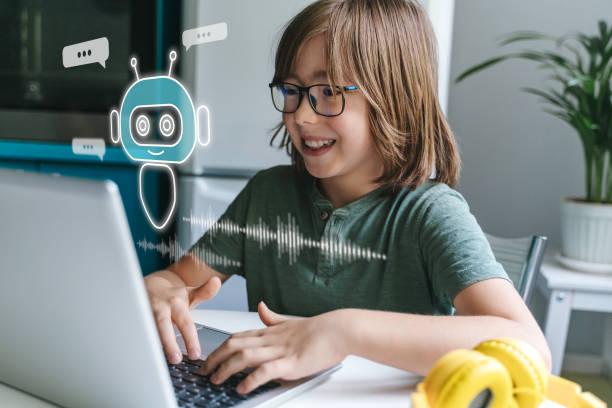
Vibe coding for kids is one of the most exciting shifts in children’s education in 2026. Instead of memorizing syntax or spending months on programming basics, kids now describe what they want to build in plain English and let AI write the actual code. A 13-year-old built a full 3D game using Replit Agent with zero prior coding experience. A 15-year-old shipped a working habit-tracking app in three days. This is vibe coding, and it is changing what is possible for young creators right now.
What Is Vibe Coding, and How Does It Work?
The so-called vibe coding is a programming style where users describe development needs in plain English, and AI assistants generate usable code. This approach allows humans to focus solely on creativity, logic, and outcomes, while all syntax-specific details are handled by AI. This term was proposed by AI researcher Andrej Karpathy in early 2025.
Its core logic is that users do not need to master the fine details of programming languages; they only need to clarify their development intent, and AI will take on all complex code development work. Today, this model has become fully mainstream. According to the 2026 developer survey released by daily.dev, 72% of developers use AI programming tools in their daily work, and 41% of all code produced globally is generated by AI.
Vibe coding delivers substantial value for children’s coding learning, as it breaks down the barriers between professional developer groups and the general public. Any child who has a solid creative idea and can express it clearly can turn their concept into a real, tangible development work.
What Does Vibe Coding Actually Look Like in Practice?
Here is a real example. A child wants to build a quiz game about animals. In traditional coding, they would need to learn Python or JavaScript, understand variables, loops, and functions, and spend weeks before seeing anything work.
With vibe coding, they open a tool like Bolt.new or Cursor and type: “Build me a quiz game with 10 animal questions, a score counter, and a final results screen.” The AI generates a working game in minutes. The child then refines it: “Make the background green and add a timer for each question.” The AI updates the code instantly.
The child is not just pressing buttons. They are thinking like a product designer, learning to communicate precisely, and developing genuine problem-solving skills through every prompt they write.
Can Kids Really Learn Vibe Coding, or Is It Too Advanced?
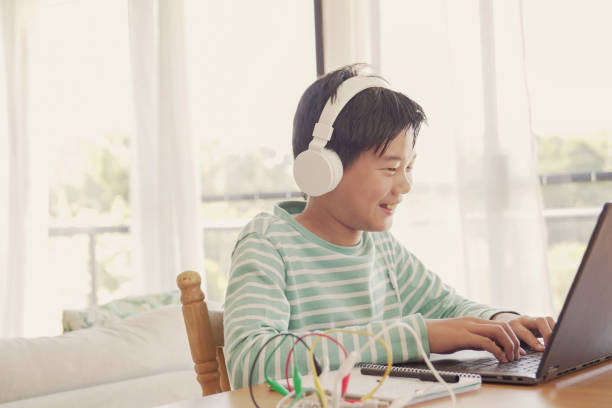
Yes, Children are fully capable of learning narrative programming. This form of programming is easier for children to get started with than traditional programming, and children aged 8 and above can begin learning it as long as they have access to suitable tools and receive a small amount of guidance. It aligns with children’s innate capabilities.
Children are natural narrators who can clearly describe their own needs, and this inborn instinct can be converted into technical skills. The core driving force for learning is not age, but curiosity. Children who want to build games, quizzes, personal websites, and small tools make the fastest progress because their learning goals are clear and specific.
What Age Is Best to Start Vibe Coding?
Most children start getting real results with vibe coding around age 8 to 10. Here is a practical age guide:
- Ages 6 to 8: Start with prompt-based creative tools like Scratch AI extensions. Focus on describing characters, stories, and simple actions.
- Ages 9 to 11: Move to tools like Bolt.new or Replit. Build simple games, quizzes, and personal pages. Introduce the idea of testing and refining prompts.
- Ages 12 to 14: Tackle more complex projects. Start reading the AI-generated code to understand what each part does. Introduce basic debugging.
- Ages 15 and up: Work on real products. Use tools like Cursor or Claude Code. Begin combining vibe coding with foundational programming knowledge for cleaner results.
What Are the Benefits of Vibe Coding for Kids?
Vibe coding for kids builds a set of skills that go far beyond app development. Every session teaches children how to think, communicate, and solve problems in ways that transfer across every subject and career.
- Logical thinking: Breaking a project into steps, testing ideas, and refining outputs builds the same structured thinking as traditional coding, but faster and with more visible results.
- Communication skills: Writing clear, precise prompts teaches children to organize their thoughts and explain ideas without ambiguity. This is a core skill in every professional field.
- Creative confidence: When a child builds something real in a single afternoon, their confidence in their own ideas grows immediately.
- AI literacy: Understanding how to work with AI tools is quickly becoming as fundamental as knowing how to use a search engine. Children who start now build a genuine competitive advantage.
- Problem-solving habits: Debugging a Vibe coding project, figuring out why the AI output does not match the intent, builds resilience and analytical thinking without the frustration of raw syntax errors.
- Project ownership: Kids who build their own apps take real pride in what they create. This intrinsic motivation is one of the strongest drivers of continued learning.
At Embassy Education, we see this transformation in real time. When a student presents a game they built to their group, the look on their face is not just pride in a project. It is confidence in their own ability to create.
How Does Vibe Coding Compare to Traditional Coding for Kids?
Vibe coding and traditional coding are not opposites. They work best together. But understanding how they differ helps parents and educators choose the right starting point for each child.
Vibe Coding vs Traditional Coding
| Feature | Vibe Coding | Traditional Coding |
|---|---|---|
| Starting Point | Describe your idea in plain English | Learn syntax rules first |
| Tools Used | AI assistants (Claude, Cursor, Bolt.new) | Text editors, compilers |
| First Project | Working app in hours or days | Hello World after weeks |
| Best For | Ages 8+, beginners, creative kids | Ages 10+, structured learners |
| Skill Built | Logical thinking, prompting, problem-solving | Syntax, algorithms, debugging |
| Code Knowledge | Grows naturally through use | Required upfront |
| Fun Factor | Very high, builds real things fast | High once fundamentals click |
The smartest approach in 2026 is to start with vibe coding to build excitement and confidence, then layer in traditional coding concepts as children become curious about how the AI-generated code actually works. At Embassy Education, our courses blend both approaches so students grow in both creativity and technical depth.
What Are the Best Vibe Coding Tools for Kids in 2026?
The best vibe coding tools for kids are platforms that combine AI code generation with a simple interface, kid-friendly projects, and immediate visual feedback. Here are the top options worth knowing:
Bolt.new
Bolt.new lets kids describe a web app and see a working version appear almost instantly. No setup, no installation, no accounts needed to try. It is one of the fastest ways to go from idea to working project, making it ideal for first-time vibe coders aged 10 and up.
Replit
Replit is a browser-based coding environment with a built-in AI assistant. It supports dozens of programming languages and includes a large community of young builders. Replit’s Agent feature lets kids describe entire projects and watch them come to life step by step.
Cursor
Cursor is an AI-powered code editor designed for slightly more advanced users. It is best suited for teenagers who want to start reading and understanding the code the AI generates, making it a natural bridge between vibe coding and traditional programming.
Scratch with AI Extensions
For younger children aged 6 to 9, Scratch remains one of the best introductions to building with code. Several AI extensions now allow children to describe characters and actions in plain language, making it a great first step into the vibe coding mindset.
Embassy Education Courses
Embassy Education’s coding courses for kids aged 5 to 14 integrate AI-assisted project building directly into the curriculum. Students do not just learn to type code. They learn to think like builders, describe their ideas clearly, test their work, and present what they create. This is vibe coding with structured progression built in.
How Do You Get Started with Vibe Coding for Kids at Home?
Getting a child started with Vibe coding at home is genuinely straightforward. You do not need a technical background. You need a computer, an internet connection, and a curious kid with an idea they want to build.
- Pick one project idea. Ask your child: What would you build if you could build anything? A game, a quiz, a to-do list for their homework, a fan page for their favorite show. One specific idea is all you need to begin.
- Choose a beginner tool. Start with Bolt.new or Replit. Both work in a browser with no setup required. For children under 10, begin with Scratch.
- Write the first prompt together. Help your child describe their idea in two or three sentences. Be specific: instead of “make a game,” try “make a quiz game about space with five questions, a score counter, and a well-done message at the end.”
- Run it, then improve it. Look at what the AI builds. Ask your child: What would you change? Add a timer. Change the colors. Add a new question. Each change is a new prompt and a new lesson.
- Share it. Show the finished project to family or friends. The reaction children get when someone else plays their game or uses their app is the single biggest motivator to keep building.
What works best in practice is keeping the first session short and focused. One complete mini-project that actually works beats three unfinished ideas every single time.
Vibe Coding Milestone Checklist for Kids
Use this checklist to track your child’s progress as a vibe coder. These milestones reflect genuine skill development, not just tool use:
Vibe Coding Milestone for Kids
Is Vibe Coding Real Programming, or Is the AI Just Doing Everything?
Vibe coding is real product development with a different division of labor. The AI writes the code. The child provides the vision, the logic, the testing, and the judgment. Those are genuinely the hardest parts of building software.
Think of it like directing a film. A director does not operate every camera or edit every frame. But no one questions whether the director made the film. Vibe coding makes the child the director of their software project, with AI as the technical crew.
What children learn through vibe coding is not how to type code. They learn how to think about problems, how to communicate solutions precisely, and how to evaluate whether a result matches their intent. According to CodaKid’s 2026 guide, students who learn vibe coding develop a competitive edge that mirrors the workflows already being adopted at top technology companies.
The children who thrive long-term are the ones who start with vibe coding, get excited, and then get curious about what the AI is actually doing. That curiosity is where traditional coding knowledge begins to grow naturally.
Frequently Asked Questions About Vibe Coding for Kids
Children as young as 6 can begin with prompt-based creative tools like Scratch AI extensions. For full vibe coding with tools like Bolt.new or Replit, ages 9 to 10 is the typical starting point. The key factor is not age but whether the child can describe what they want to build in a few sentences.
No prior coding knowledge is needed. Vibe coding is specifically designed for people who have never written a line of code. Children start by describing ideas in plain English. Any coding knowledge they pick up comes naturally as they get curious about the AI-generated results.
Most reputable vibe coding platforms, including Replit and Scratch, have kid-friendly environments with content moderation and privacy controls. For younger children, parents should supervise the first few sessions and choose platforms that are COPPA-compliant. Always review the privacy policy of any tool before a child under 13 creates an account.
No. Vibe coding and traditional coding are complementary skills. Vibe coding is an excellent entry point that builds excitement and real project experience. Traditional coding knowledge makes children better vibe coders because they understand what the AI is generating and can guide it more precisely. The strongest young developers in 2026 use both.
Most children complete a simple first project in one to two hours. A working quiz game, a personal webpage, or a basic to-do app are all achievable in a single afternoon session. The speed of early results is one of the most powerful motivators for continued learning.
Embassy Education integrates AI-assisted project building into its coding curriculum for children aged 5 to 14. Students learn to describe, build, test, and present their own projects across courses in Scratch, Python, Minecraft modding, and more. The goal is always the same: confident young builders who can turn their ideas into something real.
Conclusion
Many people view Vibe coding for children as merely a passing trend, but it is in fact a fundamental shift that reshapes how the next generation creates and solves problems. This on-the-ground implementation model has three core foundations, and we have observed age-eligible children build fully usable applications in just one afternoon. Embassy Education argues that the most valuable educational gift to give children aged 5 to 14 in 2026 is not any single programming language, but the confidence to turn ideas into reality. This teaching method builds children’s confidence far more efficiently than all previous technology-focused methods and teaching approaches. Our four-step zero-threshold introductory course can turn skeptical children into active creators after their very first class. Welcome to visit the Embassy Education to learn about our programming and AI project-based learning services.
Ready to help your child build something real? Join Embassy Education and start their coding journey today.