Compare the Best Coding Courses for Kids in 2026: A Parent’s Complete Guide
Every parent who searches for the best coding courses for kids hits the same problem almost immediately. There are dozens of platforms, apps, and programmes to choose from, all claiming to be number one, all promising amazing results. Working out which one actually suits your child takes longer than most parents have time for.
What most review articles miss is that the right course depends entirely on three things: your child’s age, how they learn best, and what actually keeps them motivated. A platform that works brilliantly for an independent 12-year-old could completely fail a hands-on 7-year-old, even if the subject matter looks identical.
This guide cuts straight through the noise. We compare the best coding courses for kids in 2026, break down what each one actually offers, and help you match the right programme to your child’s specific age, learning style, and interests. We also include Embassy Education’s full course catalogue, so you can see exactly how each course stacks up.
What to Look for Before You Compare Anything
Before diving into specific platforms, it helps to know what the key decision points actually are. Most parents focus on price first, but in practice, these four factors matter far more:
- Age suitability: a course built for a 9-year-old will not work for a 5-year-old, even if both cover Scratch. Check age ranges carefully, not just subject matter
- Format: self-paced courses let children work at their own speed, while live tuition provides real-time feedback and accountability. Both have a place depending on the child
- Feedback mechanism: the biggest weakness in self-paced coding apps is that nobody checks whether the child actually understood what they built. Look for platforms where tutors review homework or provide feedback
- Progression path: the best online coding courses for kids do not stop at one level. They take a child from their very first block-coding project all the way through to real programming languages as they grow
Keep those four things in mind as you read through each option below.
The Best Coding Courses for Kids in 2026, Compared by Age Group
We organised this comparison by age because that is genuinely the most useful way to think about coding courses for children. A child’s age determines their reading ability, attention span, logical reasoning, and the kind of projects that will keep them engaged. Grouping by age makes the decision much simpler.
Ages 5 to 8: Start with Visual Block Coding
Children in this age group are not ready for typed code. What they need is a visual, drag-and-drop environment that teaches programming logic without requiring reading or writing skills. The goal at this stage is to build foundational thinking, not syntax.
Scratch Junior (Embassy Education) is one of the strongest options available for this age group when you compare the best coding courses for kids starting this young. It covers ages 5 to 8 and uses a visual block-based system where children create animated characters, simple games, and interactive stories. No reading required, no typing, and minimal adult supervision needed once the child is set up.
What makes the Embassy approach different from simply downloading the free Scratch Jr app is the structured curriculum. Children follow short video lessons, complete creative homework, and get that homework checked by a real tutor. They progress through modules in a deliberate order rather than clicking around randomly with no direction.
Scratch 3.0 (Embassy Education) suits the upper end of this age group, from around age 7. It introduces more complex logic, including loops, conditionals, and events, while still using the familiar drag-and-drop interface. Children can build proper multi-level games and animated stories that feel genuinely impressive to them.
What works well at this stage is keeping the projects visual and immediately rewarding. Children who see their character jump across the screen on command stay motivated. Children who sit through abstract theory do not.
Ages 7 to 12: Game-Based Learning That Goes Deeper
This is the age group where kids’ coding classes really start to shine, because children are ready to build things that feel genuinely game-like. Two of the most effective teaching vehicles available right now are Minecraft and Roblox, and Embassy Education offers dedicated courses for both.
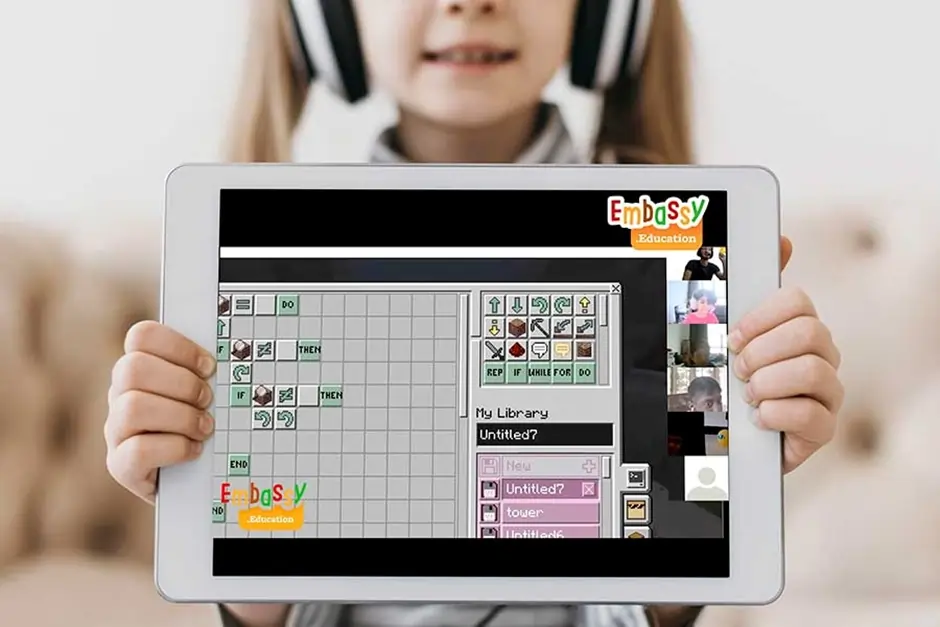
Minecraft Coding (Embassy Education), suitable for ages 7 to 12, uses a platform that millions of children already spend hours on every week. When you compare the best coding courses for kids who love Minecraft, using the game itself as the teaching environment removes almost every motivation barrier. Children are already engaged before the lesson starts.
The course teaches block-based coding concepts through Minecraft’s built-in coding environment. Children learn sequencing, loops, and basic automation, all within a world they already know and love. The skills transfer directly to more advanced coding languages later on.
Roblox Coding (Embassy Education), for ages 9 to 14, is one of Embassy’s strongest offerings and one of the most searched kids’ coding topics online in 2026. Children learn Lua, a beginner-friendly text-based programming language, inside Roblox Studio. They build their own games and publish them for friends to play.
Lua reads almost like plain English, which makes it one of the gentlest introductions to real text-based programming available. Children who start with Roblox often become genuinely passionate about coding in a way that self-paced app puzzles rarely achieve, because they are building something real that other people can actually play.
Ages 9 to 14: Real Programming Languages Begin Here
By age 9, many children are ready to move beyond visual blocks and start writing real code. This is where Python coding for kids becomes the most valuable investment a parent can make.
Python Beginner (Embassy Education), designed for ages 9 to 14, teaches one of the most widely used and career-relevant programming languages in the world. When parents compare the best coding courses for kids who want real skills, Python consistently comes out on top because it is beginner-friendly, professionally respected, and endlessly versatile.
Children write actual Python code from the very first lesson. They build text-based games, create simple calculators, automate repetitive tasks, and gradually work their way toward more complex projects. The syntax is clean and readable, which means fewer frustrating errors and more time actually building things.
Python Advanced (Embassy Education), available from age 13, takes children further into app design, data handling, and an introduction to artificial intelligence. For teenagers who are serious about technology, this course starts building skills that are directly relevant to university-level computer science and real-world software development.
3D Modeling and Design (Embassy Education), available from age 10, takes a different creative direction. Children learn spatial thinking, 3D design principles, and digital creation skills using professional-style tools. This course suits children who are more visually creative and less interested in pure programming but still want to build real digital skills.
Quick Comparison: Embassy Education Courses at a Glance
| Course | Age | Language | Format | Best For |
|---|---|---|---|---|
| Scratch Junior | 5-8 | Visual Blocks | Self-paced + Tutor | First-time coders, pre-readers |
| Scratch 3.0 | 7-12 | Visual Blocks | Self-paced + Tutor | Kids ready for games & stories |
| Minecraft Coding | 7-12 | Block Coding | Self-paced + Tutor | Minecraft fans, creative builders |
| Roblox Coding | 9-14 | Lua | Self-paced + Tutor | Gamers who want to build games |
| Python Beginner | 9-14 | Python | Self-paced + Tutor | Kids ready for real text coding |
| 3D Modeling | 10+ | 3D Tools | Self-paced + Tutor | Visual & design-focused children |
| Python Advanced | 13+ | Python + AI | Self-paced + Tutor | Teens serious about tech careers |
Self-Paced vs Live Tuition: Which One Actually Works?
This is the question most comparison guides skip over, and it is one of the most important decisions you will make for your child.
Self-paced coding courses let children work through video lessons at their own speed, at any time that suits the family. There is no scheduling stress, no commitment to a weekly slot, and children can revisit lessons they found difficult. For independent learners who stay motivated without external accountability, self-paced learning works extremely well.
Live tuition, where a child works directly with a human coding teacher in real time, delivers something that self-paced video lessons simply cannot: immediate feedback, genuine encouragement, and someone who notices when the child is confused and adjusts the explanation on the spot. Many children make dramatically faster progress with a live tutor than with a video course, even when the curriculum is identical. Embassy Education’s private coding tuition for kids pairs each child with a dedicated tutor for exactly this reason.
What works best for most families is a combination of both. Use a structured self-paced course as the foundation and the live tuition option when the child hits a difficult concept or needs a motivational boost. Embassy Education’s model is specifically designed to support this hybrid approach because homework gets checked by tutors even on the self-paced courses.
How Embassy Education Compares to Popular Free Platforms
When parents compare the best coding courses for kids, free platforms like Scratch, Code.org, and the free version of Tynker always come up. They are excellent tools, and we genuinely recommend using them as a starting point. But there is an important distinction between a free tool for exploration and a structured coding curriculum for children that builds skills progressively.
Free platforms: great for getting started
- Scratch (free): brilliant for initial exposure and creative exploration. No structured curriculum, no tutor feedback, no progression path. Children tend to build the same kinds of projects repeatedly once they have learned the basics
- Code.org (free): solid, structured content organised by age group and widely used in schools. Self-paced only, no live feedback, and many children need external motivation to keep progressing without a teacher
- Tynker (freemium): good game-based learning environment for younger children. The free tier is limited, and the paid version competes with Embassy’s self-paced offering at a similar price point
Where Embassy Education goes further
The core difference between free tools and Embassy’s online coding courses for kids comes down to three things that free platforms consistently lack:
- Tutor-checked homework: Every self-paced course at Embassy includes optional homework review by a real tutor. Children get genuine feedback on what they built, not just automated completion badges
- Structured progression: each course follows a deliberate sequence that starts simple and grows progressively harder. Children do not get lost or plateau the way they often do on open-ended platforms
- A full learning pathway: starting at Scratch Junior age 5 and building all the way to Python Advanced at age 13, Embassy provides a continuous coding education rather than a series of isolated tools. Parents never have to go searching for the next step
Free platforms are a great first step. A structured course is what takes children further.
Which Course Should Your Child Start With?
Parents who want to compare the best coding courses for kids often ask for a clear recommendation. Here is the most direct answer we can give, based on age and starting point:
- Age 5 to 6, no coding experience: start with Scratch Junior. It requires no reading or writing skills and teaches real programming logic through visual blocks. Your child will build their first animated story within the first lesson
- Age 7 to 9, never coded before: start with Scratch 3.0. It introduces loops, events, and conditions in a way that feels like building a game rather than learning a subject
- Age 7 to 12, obsessed with Minecraft: Minecraft Coding is the obvious choice. Start with what they already love, and the motivation barrier disappears entirely
- Age 9 to 14, loves Roblox: the Roblox Coding course teaches Lua scripting inside a platform they already know and spend time in. Children publish their own games by the end of the course
- Age 9 to 14, wants to learn real programming: Python Beginner is the right starting point. It is beginner-friendly, widely taught in schools, and directly useful for the future
- Age 10 and up, more creative than technical: 3D Modelling and Design builds spatial thinking and creative digital skills without requiring an interest in traditional text coding
- Age 13 and up, already knows Python basics: Python Advanced covers app design, deeper algorithms, and an introduction to AI. This is the course for teenagers who want to go further than school teaches them
If you are still not sure where to start, Embassy Education offers a free 1:1 trial lesson where a real tutor assesses your child’s current level and recommends the best course for them specifically. That is genuinely the most reliable way to avoid starting in the wrong place.
What Skills Do Kids Actually Build Across These Courses?
Across all of Embassy Education’s children’s coding courses, children develop a consistent set of skills that go well beyond typing code. These are the abilities that transfer into every subject at school and every challenge they will face as they grow up:
- Logical thinking: breaking a problem into smaller steps and working through them in order is the core of both coding and academic success
- Pattern recognition: spotting patterns in how code behaves helps children solve problems faster and write cleaner programs
- Creative problem-solving: Every project in every course requires children to think creatively about how to achieve a goal using the tools they have available
- Resilience: code rarely works the first time. Children who learn to debug their own programs build a tolerance for failure and a confidence in their ability to fix things
- Sequencing: understanding that the order of instructions matters is a foundational skill that applies directly to maths, writing, and scientific thinking
- Digital literacy: Children who understand how software works navigate technology with much greater confidence and safety than those who only ever use it as a consumer
These are not just coding skills. They are life skills that happen to be taught through coding.
What Parents Say: The Embassy Education Experience
What we hear most consistently from parents is that the combination of structured video lessons and tutor-checked homework works in a way that pure self-paced platforms have never managed to achieve for their children. Kids who drifted away from apps like Tynker or Code.org after a few weeks often stay consistently engaged with Embassy courses because they know someone is checking their work and giving them real feedback.
The free trial lesson is particularly valued. Parents describe being able to sit in on that first session, see how their child responds to the tutor, and make a proper decision about whether to continue, rather than paying up front and hoping for the best.
Ready to Find the Best Coding Course for Your Child?
Embassy Education offers coding courses for ages 5–14, combining self-paced learning with feedback from real tutors. Whether your child is just starting or ready for advanced coding, we have a course to match their level.
Book a free 1:1 trial lesson and get personalised guidance from an experienced coding tutor.
Book Your Free Trial LessonNo payment required. No commitment needed.
Frequently Asked Questions
For a 7-year-old with no coding experience, Scratch 3.0 is the best starting point. It uses visual drag-and-drop blocks rather than typed code, teaches real programming logic through game-building, and keeps children in the productive zone where things feel challenging but not frustrating. Embassy Education’s Scratch 3.0 course adds tutor-checked homework to the mix, which makes a significant difference in how much children actually retain and how much they progress. When you compare the best coding courses for kids this age, structured Scratch programmes consistently outperform abstract puzzle apps.
Roblox coding is genuinely one of the best introductions to real text-based programming available for children aged 9 to 14. The course teaches Lua, a clean and readable scripting language, inside a platform that most children already know and love. Children who build and publish their own Roblox game feel a sense of achievement that self-paced puzzle apps rarely deliver. The practical, project-based nature of Roblox coding for kids also means the skills they build are visible and shareable, which keeps motivation high throughout the course.
Embassy Education’s courses each contain between 20 and 40 practical coding lessons. With around one hour of daily practice, most children complete a beginner course within 2 months. Children who practice less frequently will take longer, but the platform provides 2 months of access to lessons so families can work at whatever pace suits them. Each self-paced coding course is structured so that children who complete one module automatically know what to do next, which eliminates the common problem of children finishing a beginner course and not knowing where to go from there.
Yes, and the evidence for early coding education is strong. Scratch Junior, designed specifically for ages 5 to 8, requires no reading or writing skills. Children interact with visual blocks through simple tapping and dragging. What they build is not complex software, but the programming logic they learn, understanding that instructions have an order and that changing that order changes the outcome, is genuine foundational thinking. Many children who start coding at 5 or 6 find the transition to text-based languages at age 9 or 10 dramatically easier than peers who start from zero at that age.
Self-paced coding courses for kids let children work through structured video lessons at their own speed, with the flexibility to pause, rewind, and revisit content as often as needed. Live coding tuition provides a real human tutor who responds to the child in real time, adjusts explanations when something is not clicking, and provides immediate feedback. Embassy Education’s model supports both: the self-paced courses include optional tutor homework review, and the private tuition option provides full live 1:1 sessions. Most families find that starting with a self-paced course and adding live tuition for challenging concepts delivers the best results overall.
No prior experience is needed for any of Embassy Education’s beginner courses. Scratch Junior is designed specifically for children who have never touched coding before and may not yet know how to read or write. Every course starts from the very beginning and builds from there. The 3-step learning method, watch the lesson, replicate the project, receive feedback and progress, is designed to be self-explanatory for children working largely independently.
Final Thoughts
When you take the time to properly compare the best coding courses for kids, what stands out about Embassy Education is not just the breadth of the course catalogue. It is the combination of a structured learning pathway that starts at age 5 and runs all the way to 14, real tutor feedback built into the self-paced model, and a free trial lesson that lets families make a confident decision before spending a penny.
Coding is no longer a niche skill. It is one of the most practical investments a parent can make in a child’s future. The earlier your child starts, the more natural it becomes. And the right structured course makes the difference between a child who tries coding once and forgets about it and one who builds games, creates apps, and grows up thinking like a problem-solver.
Explore Embassy Education’s full course catalogue and book your child’s free trial lesson today.