Programming for Kids Online: The Complete Guide for Parents in 2026
Most parents know that coding is important. But when you actually sit down and search for programming for kids online, you quickly realise the options are overwhelming. Free apps, paid courses, live tutors, self-paced videos, Scratch, Python, Lua, and on and on. It is a lot to sort through when you just want your child to learn something useful.
What I have found, after spending years helping kids learn to code, is that the right starting point makes all the difference. A child who starts well becomes genuinely excited about coding. One who starts with the wrong tool or approach often gives up within a few weeks.
This guide covers everything you need to know about programming for kids online: what it actually is, why it matters, how to choose the right course, which coding languages work best at different ages, and what your child can realistically achieve. No fluff, no jargon. Just clear, practical guidance.
What Does Programming for Kids Online Actually Mean?
Before we go any further, it helps to clear up what we mean by programming for kids. Programming is simply the act of writing instructions that a computer can follow. These instructions are written in a coding language, and different languages work better for different purposes and age groups.
Online programming education for children delivers this learning through a screen rather than a physical classroom. That might be a live video lesson with a real tutor, a self-paced platform where kids work through challenges at their own speed, or a combination of both. The coding skills children build are the same regardless of format; it is really about which delivery style works best for your child.
Computational thinking is the real skill children develop when they learn to code. This means breaking big problems into small steps, spotting patterns, and thinking logically. These abilities transfer far beyond coding itself into maths, science, writing, and everyday problem-solving.
Why Parents Are Choosing Online Coding Lessons Over Classroom Options
A few years ago, the main option for kids who wanted to learn coding was an in-person class or camp. Those options still exist and still work well for some children. But online learning has opened up access in a way that was not possible before.
Here is what most parents tell us they appreciate most about online coding lessons:
- Flexibility: kids can learn from home, fit sessions around school and activities, and reschedule without hassle
- Access to specialist tutors: online lessons connect children with expert coding teachers regardless of where they live
- Personalised pace: children are not held back by a class that moves too slowly or left behind when things move too fast
- Cost: online courses are often more affordable than private in-person classes or coding camps
- Comfort: Many children genuinely perform better when learning in a familiar environment at home
None of that means every programming for kids online option is worth your money. Quality varies enormously, and we will get into how to spot the good ones shortly.
What Age Should Kids Start Learning to Code?
This is the question we get asked more than any other. The short answer is: earlier than most parents expect.
Here is a practical breakdown by age group:
| Age | What They Can Learn | Recommended Starting Point |
|---|---|---|
| 5-7 | Visual block coding, basic sequences and loops | Scratch Jr, ScratchLand, simple drag-and-drop tools |
| 8-10 | Scratch, simple game building, intro to logic | Scratch, Code.org, beginner Roblox Studio |
| 11-13 | Python basics, Lua scripting, web fundamentals | Python, Roblox Lua, intro HTML and CSS |
| 14+ | Real-world projects, JavaScript, and advanced Python | Python, JavaScript, web development, app building |
Most children who start with visual block coding between the ages of 5 and 8 have a much easier time transitioning to text-based languages later. They already understand the logic. They just need to learn the syntax.
The Best Coding Languages for Kids, Explained Simply
One of the most confusing parts of exploring kids’ programming courses online is the number of coding languages mentioned. Here is a plain-English breakdown of the ones that actually matter for children:
Scratch
Scratch is a visual block-based language built by MIT specifically for children. Instead of typing code, kids drag colourful blocks onto a screen to build programs. It is brilliant for ages 5 to 10 because it removes the frustration of syntax errors while still teaching real programming logic like loops, conditions, and events.
Most kids who go on to become strong coders started with Scratch. Do not underestimate it.
Lua (used in Roblox)
Lua is the coding language for kids inside Roblox Studio. Because children are already familiar with Roblox as a game, learning to code within it feels less like school and more like play. Lua reads almost like plain English, which makes it one of the gentlest introductions to real text-based programming available.
We see children aged 9 and up take to Lua surprisingly quickly, especially if they are already Roblox fans.
Python
Python is widely regarded as the best first text-based programming language for older kids and teens. Its syntax is clean and readable, it is used professionally by developers all over the world, and it forms the backbone of everything from data science to artificial intelligence. Children aged 11 and up who want a real coding language should start here.
What works well in practice is starting Python with fun, visual projects: simple games, drawing tools, and short automation scripts. When kids see immediate results, they stay motivated.
HTML and CSS
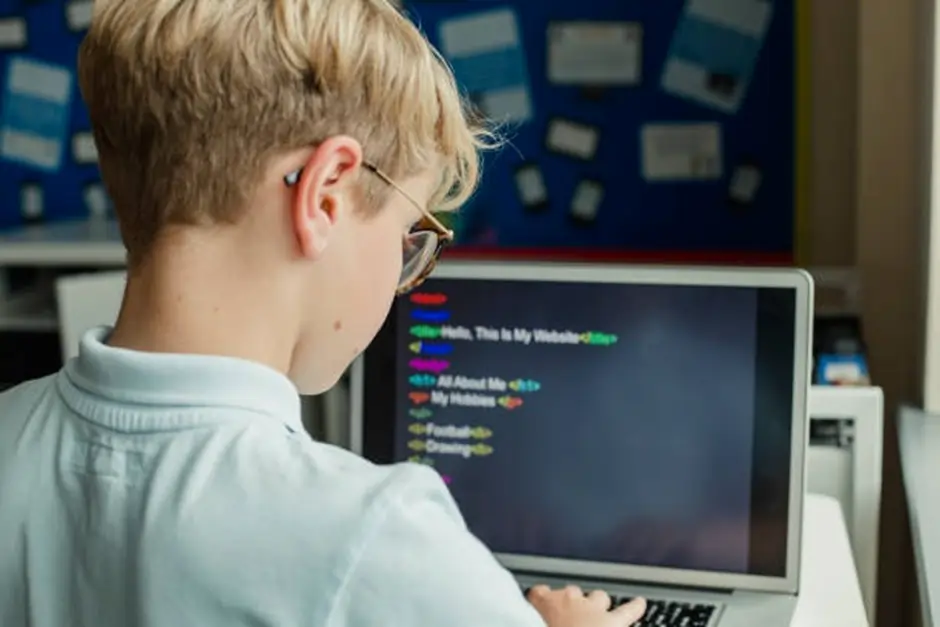
HTML and CSS are the building blocks of every website. They are not technically programming languages in the strict sense; HTML structures content, and CSS styles it. But they are incredibly satisfying for kids to learn because results appear instantly in a browser. A child who learns HTML and CSS can create a real webpage from scratch, which feels genuinely impressive.
These are perfect for children aged 10 and up who are curious about how websites work.
JavaScript
JavaScript is the language that makes websites interactive. It is also one of the most in-demand programming languages in the world for professional developers. Most kids learn it after they have a handle on HTML, CSS, and some Python basics. It is better suited to teenagers than younger children because the concepts get complex quickly.
What to Look for in an Online Programming Course for Kids
Not all online programming courses for children are worth your time or money. Here is what actually separates a good course from one that will leave your child bored or confused after two sessions:
Live instruction versus self-paced learning
Self-paced platforms like Scratch or Code.org are great for exploration and initial exposure. But when a child gets stuck, there is nobody to help them. Live instruction with a real tutor is more effective for sustained progress because children get immediate feedback, can ask questions, and stay accountable.
For most children, a combination of both works well: a structured curriculum delivered by a live tutor, with extra practice time on self-paced tools.
Age-appropriate curriculum
A course built for a 12-year-old will frustrate a 7-year-old, even if the subject is technically the same. Look for programmes that group children by both age and skill level, not just age alone. A 10-year-old beginner and a 10-year-old who has coded for two years need very different content.
Project-based learning
The most effective online coding lessons for children centre on building real things. Games, apps, animations, websites. When children work toward a finished project, they have a reason to push through the difficult parts. Abstract exercises with no visible output kill motivation fast.
Small class sizes or one-to-one sessions
Group classes can work, but they need to stay small to be effective. Once you have more than six or eight children in an online session, individual attention drops significantly. Look for programmes that cap group sizes or offer one-to-one tuition.
Qualified, experienced tutors
Teaching children to code is a different skill from coding itself. A brilliant developer is not automatically a good children’s coding tutor. Look for tutors who have experience working with kids and understand how to explain abstract concepts in ways that appeal to different age groups.
Common Mistakes Parents Make When Choosing a Coding Course
After working with hundreds of families, I keep seeing the same mistakes come up. Here is how to avoid them:
- Choosing based on price alone: the cheapest option is rarely the most effective. A child who loses interest after three sessions has cost you more than a better course would have
- Starting with a language that is too advanced: jumping straight to Python with an 8-year-old who has never coded before usually ends in frustration
- Signing up for a long commitment too quickly: Most reputable providers offer a free trial lesson. Always use it before committing to a full programme
- Ignoring your child’s interests: a child who loves gaming will stay more engaged learning Roblox Lua than one who is pushed into abstract Python exercises
- Expecting results without practice: coding improves with consistent practice. One lesson per week is a start, but children who code between sessions progress dramatically faster
What Can Kids Actually Build? Real Examples by Age
One of the best ways to get a child excited about coding is to show them what is possible. Here are realistic examples of what children can build at different stages:
Ages 5 to 8: Scratch animations and simple games
Children in this age group typically build animated stories where characters move and speak, simple games where they control a sprite with the keyboard, and basic quizzes that show right and wrong answers. These feel genuinely impressive to young children and build confidence fast.
Ages 9 to 11: Roblox games and Python scripts
At this stage, children can build basic Roblox obstacle courses and publish them for their friends to play online. With beginner coding in Python, they can write programs that solve simple maths problems, create basic text-based games, and automate repetitive tasks. Most kids in this range are amazed the first time they write a program that does something useful.
Ages 12 to 14: Websites, apps, and advanced games
Older children can build real, working websites using HTML, CSS, and basic JavaScript. They can create their own mobile app prototypes, write Python scripts that handle data, and build complex Roblox games with multiple levels and scripted mechanics. These are skills that look genuinely impressive on a school application or portfolio. Building digital literacy at this age puts children years ahead of their peers.
How Embassy Education Helps Kids Go from Beginner to Confident Coder
At Embassy Education, we have built our entire programme around one idea: every child can learn programming online, as long as they have the right teacher, the right curriculum, and the right pace. We teach children aged 5 to 14 across multiple languages and skill levels, from their very first Scratch project to building real Python applications.
Here is what makes our approach different:
- Live, one-to-one tuition: every programming for kids online session at Embassy pairs your child with a dedicated tutor who gives them their full attention
- Tailored curriculum: we assess each child individually and build a learning path around their age, interests, and current skill level
- Real projects from day one: children build games, apps, and websites from the very first lesson, not after months of theory
- Kid-friendly tutors: our teachers know how to make even tricky concepts click for young learners. Patient, encouraging, and genuinely passionate about what they teach
- Flexible scheduling: lessons fit around your family, with options for weekday evenings and weekends
Whether your child is picking up a coding language for the first time or wants to push beyond what they already know, Embassy Education meets them exactly where they are. Book a free trial lesson today and see the difference a great tutor makes.
Frequently Asked Questions
Programming for kids online is just as effective as in-person learning when the format is right. Live one-to-one online tuition typically produces faster progress than large in-person group classes because the child receives constant, personalised attention. The key is choosing a structured programme with a real tutor rather than relying entirely on self-paced apps.
Prices vary widely. Free platforms like Scratch and Code.org are great for initial exposure and exploration. Structured children’s coding classes with live tutors typically range from £15 to £50 per session, depending on the provider, class size, and tutor experience. Group classes cost less per session than one-to-one tuition but offer less personalised attention.
For children aged 5 to 9, Scratch is the best starting point because it uses visual blocks instead of typed code and teaches real programming logic in a frustration-free way. For children aged 10 and up, Lua (through Roblox) or Python are both excellent first text-based languages. Both are beginner-friendly and teach skills that transfer directly to other languages later on. STEM education experts widely agree that starting visual and moving to text-based coding gradually produces the strongest long-term results.
Most children can build something real and working within their first few sessions. Genuine fluency in a coding language takes longer, typically six to twelve months of consistent weekly lessons with practice in between. The more a child codes between lessons, the faster they progress. That said, every child moves at a different pace, and that is completely fine.
Starting with no experience is normal. We recommend beginning with a free trial lesson to assess your child’s comfort with computers, their current logical thinking skills, and what interests them. A good tutor can then map out a clear starting point tailored specifically to your child. Learning to code does not have to mean starting from scratch with a textbook. The best starting point for every child looks a little different.
Absolutely. Many parents are surprised to find that shy children actually open up more in one-to-one online settings than they do in a physical classroom. There is no social pressure from peers; they can ask questions without feeling self-conscious, and the focus stays entirely on their learning. We see quiet children become some of the most engaged and dedicated coders once they find the right environment.
Final Thoughts
Programming for kids online is one of the most practical investments a parent can make in their child’s future. The skills children build when they learn to code go far beyond technology. They learn patience, logical thinking, creative problem-solving, and the confidence that comes from building something from nothing.
The good news is that getting started with programming for kids online has never been easier or more accessible. The tools are better, the courses are more child-friendly, and the demand for these skills in the real world keeps growing every year.
If your child is ready to take their first step, or their next step, explore Embassy Education’s coding courses for kids and book a free trial lesson. We would love to show you what your child is capable of building.