App Development for Kids: A Beginner’s Guide for Parents in 2026
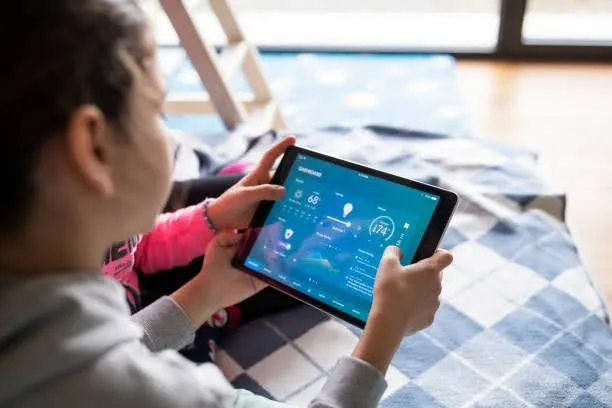
Your child uses apps every single day. They swipe through games, open learning platforms, and navigate interfaces with a confidence that sometimes leaves parents speechless. But here is the question most parents have not thought to ask yet: what if your child stopped just using apps and started building them?
App development for kids is no longer a niche activity reserved for tech prodigies. In fact, app development has become one of the fastest-growing areas of children’s education globally. reserved for tech prodigies or teenagers with programming degrees. In 2026, children as young as 7 are building working apps using tools designed specifically for young learners. A 10-year-old can create a quiz app for their class. A 12-year-old can build a simple game and share it with friends. A 14-year-old can publish something to an app store.
This guide is for parents who are curious but do not know where to begin. It covers what app development for kids actually involves at different ages, why it matters, which tools and languages work best, and how to help your child take their very first step without feeling overwhelmed.
What Is App Development for Kids?
App development is the process of designing and building a software application, the kind of program that runs on a phone, tablet, or computer. When parents ask what app development for kids actually means in practice, the answer is: using visual tools, block-based coding, and beginner-friendly platforms to help children create working apps without needing years of programming experience first.
The result is real. A child doing app development does not just learn concepts in theory. They build something that opens, responds, and functions. That “I made this” moment is one of the most powerful confidence boosters a young learner can experience.
At its core, app development for kids covers three main types of apps:
- Mobile apps that run on Android or iOS phones and tablets
- Web apps that run in a browser on any device
- Game apps that combine storytelling, logic, and interactivity
Most beginner tools for children focus on mobile and game apps, since these are what kids find most motivating to build.
Why Should Kids Learn App Development?
Parents ask this question often, and it deserves a direct answer. App development is not just a technical skill. It is a way of thinking that benefits children across every subject and every stage of life.
Here is what research and real-world experience with app development for kids consistently show:
It Builds Real Problem-Solving Skills
Every app starts as a problem to solve. How do I make this button do that? Why is the score not updating? What happens if the user taps here? Children who work through these questions regularly develop a structured, logical approach to challenges that carries into maths, science, writing, and beyond.
It Develops Creativity in a Structured Way
App development for kids sits at the intersection of logic and creativity. Children have to imagine what they want to build and then figure out how to make it work. This combination of free thinking and systematic execution is rare in most childhood activities.
It Builds Confidence That Lasts
One of the most frequently mentioned benefits of app development for kids is confidence. There is something uniquely satisfying about showing a parent, sibling, or classmate an app you built yourself. The pride children take in a working creation, however simple, is genuine and memorable. Many parents report that their child’s attitude toward learning shifted after their first successful coding project.
It Prepares Children for a Tech-Driven Future
The online coding for kids market is valued at $6.51 billion in 2026 and projected to nearly double by 2030. STEM careers are not just growing, they are becoming the baseline expectation across dozens of industries. Children who understand how software is built will have a meaningful advantage regardless of which career path they eventually choose.
It Teaches Persistence
An app rarely works correctly on the first try. Children who develop apps learn to debug, revise, and try again. This tolerance for failure and persistence through difficulty is one of the most valuable mindset traits any parent can help their child build.
Is Your Child Ready? An Age-by-Age Guide
One of the most common questions parents ask about app development for kids is when to start. The good news is that app development for kids is genuinely accessible from a surprisingly young age. The honest answer is: earlier than most people think.
| Age | Stage | What They Can Build | Best Approach |
|---|---|---|---|
| 5–7 | Foundation | Simple animations, interactive stories | Visual block coding, ScratchJr |
| 7–9 | Beginner | Basic games, simple interactive projects | Scratch 3.0, block-based tools |
| 9–12 | Intermediate | Working Android apps, quiz tools, and simple games | MIT App Inventor, Scratch with logic |
| 12–14 | Developing | More complex apps with databases and UI design | Thunkable, Python basics |
| 14+ | Advanced | Full mobile apps, publishable projects | Python, Swift Playgrounds, JavaScript |
Age ranges are guidelines, not rules. A highly motivated 9-year-old can absolutely start working with MIT App Inventor. A 12-year-old who has never coded before should start at the beginning with visual block tools, not skip straight to text-based programming.
The Learning Path: How Kids Progress in App Development
App development for kids follows a natural progression. Understanding this path helps parents set realistic expectations and choose the right starting point.
Stage 1: Visual Block Coding (Ages 5 to 9)
This is where every child’s journey into app development for kids should begin, regardless of age. Block-based coding uses visual drag-and-drop pieces that snap together like puzzle pieces. There is no typing, no syntax errors, and no blank screen to stare at. Children focus entirely on logic and creativity.At this stage, children learn the fundamental concepts that underpin all programming:
- Sequences: things happen in a specific order
- Loops: things can repeat automatically
- Events: something triggers an action
- Conditionals: if this happens, do that
These four concepts are the bedrock of every app ever built. A child who understands them intuitively through visual coding is far better prepared for text-based programming later on.
ScratchJr is the gold standard for children aged 5 to 7. It uses picture-based blocks and requires no reading at all, making it genuinely accessible for preschoolers and early primary school children.
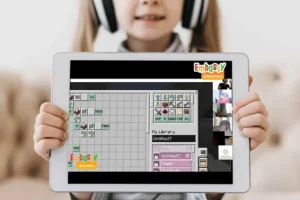
For children aged 7 to 9,Scratch 3.0 takes the same visual approach but adds significantly more depth. Children can build games, animated stories, and interactive projects with real logic behind them. Embassy Education’s Scratch Junior course is specifically designed for children aged 5 to 8 and structured in a gamified, progressive way that keeps young learners engaged from the very first lesson.
Stage 2: App Building Tools (Ages 9 to 13)
Once a child has a solid grasp of coding logic through visual tools, app development for kids enters its most exciting phase. They are ready to build apps that run on real devices. This is where app development for kids starts to feel genuinely exciting.
MIT App Inventor is the most widely used free tool for children in this age range. It uses a block-based interface to build fully functional Android apps, complete with buttons, screens, sensors, and basic databases. A child can build a working app that installs on a real phone within a single session.
This is also the age range where game-based coding platforms like Minecraft Coding and Roblox Coding become powerful learning tools. Both platforms teach children to write real code in a familiar, motivating environment. Embassy Education’s Minecraft Coding course is designed for ages 7 to 12 and focuses on creativity and logic through a game world children already love. The Roblox Coding course targets ages 9 to 14 and introduces Lua scripting, a real programming language used by professional game developers.
Thunkable is another strong option at this stage. It is a drag-and-drop platform that builds apps for both Android and iOS, and it supports more complex features like API integrations, databases, and cloud storage.
Stage 3: Text-Based Programming (Ages 12 and Above)
This is where app development for kids crosses into professional territory. Text-based programming means writing actual code using a programming language. The syntax, the logic, and the structure are all real. There is no block interface to fall back on.
Python is the most recommended first text-based language for children, and for good reason. Its syntax is clean and readable, which means beginners can focus on understanding what their code does rather than wrestling with complicated grammar rules. Python is also used in almost every area of modern technology, from web development to artificial intelligence to data science.
Embassy Education’s Python course takes students from complete beginner through to advanced programming, with the Advanced Python course designed for children aged 13 and above. It covers variables, loops, conditionals, functions, and progresses into real project-based work that mirrors how professional developers actually write software.
Swift Playgrounds (for iPad and Mac users) teaches iOS app development using Apple’s own Swift language. Children can build apps that run directly on their Apple device, which gives the experience a satisfying real-world quality.
For web app development specifically, HTML, CSS, and JavaScript form the foundational stack. Children who learn these three technologies can build apps that run in any browser on any device, which gives their work the broadest possible reach.
Best Tools for App Development for Kids in 2026
Here is a clear breakdown of the most effective tools for app development for kids available, matched to age and skill level.
| Tool | Age Range | App Type | Cost | Why It Works |
|---|---|---|---|---|
| ScratchJr | 5–7 | Games, stories | Free | No reading required, purely visual |
| Scratch 3.0 | 7–12 | Games, animations, interactive projects | Free | Best visual coding platform available |
| MIT App Inventor | 9–13 | Android mobile apps | Free | Builds real apps on real devices |
| Thunkable | 10–14 | Android and iOS apps | Free tier available | Supports both platforms, drag-and-drop |
| Minecraft Coding | 7–12 | Game modifications, logic projects | Paid | Familiar environment, real coding concepts |
| Roblox Coding | 9–14 | Game creation, Lua scripting | Paid | Real programming language, huge community |
| Python | 12+ | Any app type | Free language | Professional language, enormous versatility |
| Swift Playgrounds | 11+ | iOS apps | Free | Official Apple tool, runs on real devices |
What Can Kids Actually Build?
One of the best ways to motivate a young learner starting app development for kids is to show them what is genuinely achievable. Here are real project types that children are building through app development in 2026, matched to approximate age and skill level.
Ages 7 to 9:
- A quiz game about their favourite subject
- A simple storytelling animation with characters they design
- A basic catch game where an object falls and the player moves to collect it
Ages 10 to 12:
- A joke generator app that displays random jokes at the tap of a button
- A chore tracker their family can actually use
- A flashcard revision tool for a school test
- A simple weather app pulling data from an online source
Ages 13 to 16:
- A habit tracker with database storage
- A two-player word game
- A simple social app with a profile, posts, and a feed
- A Roblox game with custom mechanics, characters, and levels
Every one of these projects is achievable through app development for kids at the appropriate stage. The key is matching the project complexity to where the child currently is, not where you hope they will be by the end of the project.
The Role of Coding in App Development for Kids
A question parents ask frequently is whether their child needs to know how to code before starting app development for kids. The honest answer is: not necessarily at the beginning, but coding and app development grow together.
Visual block tools like Scratch and MIT App Inventor allow children to build real apps without writing a single line of traditional code. However, as children progress and want to build more sophisticated things, coding knowledge becomes the limiting factor. A child who understands Python can build something far more powerful than a child who has only used drag-and-drop interfaces.
This is why the most effective approach to app development for kids pairs project-based app building with a structured coding curriculum running alongside it. The coding provides the vocabulary. The app projects give that vocabulary a reason to exist.
Embassy Education’s course progression is built around exactly this principle. Children start with Scratch Junior to build foundational logic, move through Scratch 3.0 and Minecraft Coding to develop more complex thinking, and then progress into Python and Roblox for real programming skills that translate directly into app development capability.
Common Mistakes Parents Make When Starting App Development for Kids
Knowing what to avoid saves significant time and frustration. Here are the most common mistakes parents make when introducing app development for kids to their children.
Starting too advanced. A 10-year-old who has never tried app development for kids before does not need Python on day one. Starting with a block-based tool and building up gradually produces far better long-term results than jumping to text-based code before the foundation is solid.
Expecting results too quickly. App development for kids is a skill that builds over months, not weekends. A child who spends two hours on MIT App Inventor will not emerge with a publishable product. Realistic expectations keep both parent and child from feeling discouraged.
Choosing a tool based on what sounds impressive. Python sounds more impressive than Scratch to an adult. But for a 7-year-old, Scratch is enormously more effective. Choose tools based on your child’s age and current level, not on what sounds most advanced.
Leaving children to figure it out alone. The most effective app development experiences for kids combine self-directed exploration with some form of structured guidance, whether that is a structured online course, a tutor, or regular parental involvement.
Not celebrating small wins. A working button is worth celebrating. A completed screen is worth celebrating. The motivational fuel that keeps children moving forward in app development is pride in what they have already built.
Your Child’s Coding Journey Starts Here
The foundation of every app a child will ever build is a solid understanding of coding logic. At Embassy Education, we have helped thousands of children aged 5 to 12 build exactly that foundation through structured, project-based courses designed specifically for young learners.
Whether your child is just starting or ready to take their skills further, there is a course built for exactly where they are right now:
• Minecraft Coding for ages 7 to 12: creative logic through a world they already love
• Roblox Coding for ages 9 to 14: real scripting skills inside a platform that keeps kids motivated
• Python for ages 12 and above: the professional language that powers app development, AI, and everything in between
Fully online. Self-paced or tutor-supported. Trusted by families in over 35 countries.
Explore All Courses at Embassy EducationHow to Support Your Child’s App Development Journey at Home
The environment you create at home matters as much as the tools you choose for app development for kids. Here are practical ways to support your child without needing to know how to code yourself.
Create dedicated learning time. Consistency beats intensity. 30 minutes of focused app development three times a week produces better results than a three-hour session once a fortnight. Short, regular practice builds the habit and prevents burnout.
Ask about the project, not just the progress. Instead of asking “Did you finish your lesson?” ask “What does your app do now?” or “What problem are you trying to solve?” This shifts the conversation toward thinking and creating, which is where the real learning happens.
Give children a real problem to solve. One of the most motivating aspects of app development for kids is purpose. Ask your child to build an app that solves a real problem in your family. A chore chart, a family quiz, and a simple countdown timer for homework breaks. Real-world purpose gives app development for kids genuine meaning.
Let them get stuck. Struggling through a problem is a core part of learning to code and build apps. Resisting the urge to jump in and fix things for your child is one of the most powerful things you can do to support their development. The solution they find themselves is the one they remember.Celebrate the process, not just the outcome. A child who tried something difficult and did not quite get it right today is still learning. Make sure they know that persistence matters more than perfection.
App Development for Kids vs General Coding: What Is the Difference?
Parents sometimes ask whether their child should learn coding first or app development first. The truth is that they are not separate journeys but two parts of the same one.
General coding teaches the logic, vocabulary, and structure of programming. App development gives that knowledge a purpose. A child who only learns coding concepts without building anything can end up feeling like they are studying a language they never get to speak. A child who tries to build apps without coding fundamentals hits a ceiling very quickly.
The most effective approach to app development for kids is to develop both together. Start with a coding platform that builds real projects from day one. Every lesson in Embassy Education’s courses, fromScratch Junior through toAdvanced Python, is structured around building something, not just learning about something. This project-first approach means children are doing app development, thinking from the very first session, even before they know it.
Ready to Give Your Child the Skills Behind Every App They Use?
Every app your child taps today was built by someone who started exactly where your child is now: curious, beginner, and full of ideas.
Embassy Education provides structured online coding courses for children aged 5 to 12 that build the real skills behind app development, step by step, project by project. No prior experience needed. No complicated setup required. Just a child who is ready to create.
Join thousands of families across 35 countries who have already started this journey.
Book a Free Trial Lesson TodayFrequently Asked Questions
Conclusion
App development for kids is no longer a niche technical skill reserved for teenagers or future programmers. In 2026, children can begin learning the foundations of app creation from a surprisingly young age through visual coding, game-based platforms, and beginner-friendly tools designed specifically for young learners. The goal is not simply to teach children how to code. It is to help them think creatively, solve problems independently, and understand how the technology they use every day actually works.
Whether your child starts with ScratchJr, builds their first mobile app using MIT App Inventor, or progresses into Python and real-world development tools, every small project builds confidence and practical digital skills that will remain valuable for years to come. The most important step is not choosing the “perfect” tool. It is helping your child start creating instead of only consuming technology.
Did you Like this article? Hit the button :)
Array