Scratch coding for kids: 16 Things Your Child Actually Learns
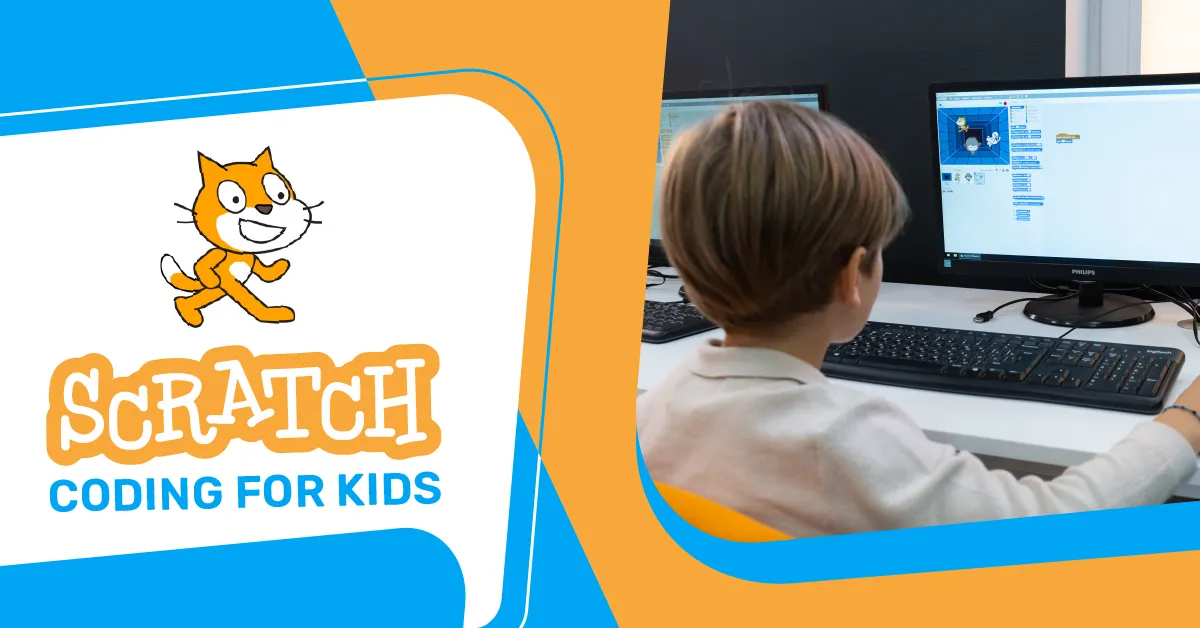
When parents hear the word “coding,” many imagine complicated text, confusing symbols, and children sitting silently in front of a screen. In reality, Scratch coding for kids is very different. It is colorful, visual, creative, and built around the way children naturally learn, by experimenting, making mistakes, improving ideas, and seeing instant results.
Scratch allows children to create interactive stories, games, and animations using block-based programming. Instead of typing long lines of code, children drag and connect coding blocks to control characters, movements, sounds, events, and actions. Scratch is described by MIT as a free programming language and online community where users can create interactive stories, games, and animations.
For younger children, ScratchJr introduces coding in an even simpler way. ScratchJr is designed for young children aged 5 to 7, allowing them to program their own interactive stories and games. For older beginners, Scratch 3.0 gives children more freedom to build games, animations, quizzes, stories, and creative digital projects.
At Embassy Education, children can begin with the Scratch Junior Coding Course for Kids if they are younger or just starting. Children aged 7 to 12 can move into the Scratch 3 Coding Course for Kids, which offers structured lessons, creative homework, optional tutor support, and certificate completion.
But the real question is this: what does your child actually learn from Scratch?
The answer is much more than “how to code.” Scratch coding for kids helps children develop thinking skills, creativity, patience, communication, problem-solving, and confidence. These are skills that support learning far beyond the computer screen.
Quick Overview: What Children Learn Through Scratch
| Skill Area | What Children Practice | Example in Scratch |
|---|---|---|
| Logical thinking | Understanding cause and effect | “When the green flag is clicked, move 10 steps.” |
| Sequencing | Putting instructions in order | Making a character walk, speak, then jump |
| Creativity | Designing original ideas | Creating a game, story, or animation |
| Problem-solving | Finding and fixing issues | Adjusting code when a game does not work |
| Maths thinking | Using coordinates, angles, and numbers | Moving sprites across the stage |
| Communication | Explaining ideas clearly | Presenting a finished project |
| Confidence | Building something independently | Completing a playable game |
| Digital literacy | Understanding how technology works | Creating instead of only consuming content |
Why Scratch coding for kids is a Strong First Step
Scratch coding for kids works well because it removes the pressure of syntax. In text-based programming, a missing comma or bracket can break the whole program. In Scratch, children can focus on the concept first. They learn what programming means before worrying about complex typing rules.
This matters because children need a friendly entry point. A beginner should not feel that coding is only for “tech people” or older students. Scratch makes coding feel like building with digital Lego blocks. Children can test an idea immediately, change it, and see what happens.
That simple loop, try, test, improve, is where real learning begins.
MIT’s Scratch team explains that Scratch was created to help young people think creatively, reason systematically, and work collaboratively. These are exactly the skills parents want children to develop in a world shaped by technology, automation, and digital communication.
1. Logical Thinking
The first thing children learn through Scratch coding for kids is logic. They begin to understand that computers follow instructions exactly as given.
For example, if a child wants a cat character to move across the screen, the child must choose the correct block and place it in the right order. If the instruction says “move 10 steps,” the character moves 10 steps. If the child wants it to move faster, the number must change.
This teaches children to think clearly:
- What do I want to happen?
- What instruction will make it happen?
- What should happen first?
- What should happen next?
Over time, children start thinking in cause and effect. They learn that actions have outcomes, and that clear instructions create better results.
2. Sequencing
Sequencing means arranging steps in the correct order. This is one of the most important early programming skills.
In Scratch, a child might create a short story where a character enters the stage, says hello, walks to another character, and then plays a sound. If the blocks are in the wrong order, the story feels confusing. If the blocks are arranged properly, the animation makes sense.
This skill connects directly to real life. Children use sequencing when they follow a recipe, solve a maths problem, write a story, or explain how they completed a task.
Scratch coding for kids makes sequencing visible. Children can see each step, move blocks around, and understand how order changes the final result.
3. Problem-Solving
Every Scratch project comes with small challenges. A character may not move correctly. A game score may not update. A sound may play at the wrong time. A button may not work.
Instead of giving up, children learn to ask, “What went wrong?”
That question is powerful.
In Scratch coding for kids, problem-solving becomes part of the creative process. Children test their project, notice an issue, change one block, test again, and slowly improve the result.
This builds patience and flexible thinking. Children discover that mistakes are not failures. Mistakes are clues.
4. Debugging
Debugging means finding and fixing errors in code. In Scratch, debugging feels much less intimidating because children can see the blocks and test changes quickly.
For example, a child may build a simple maze game. The character is supposed to return to the start when it touches a wall, but nothing happens. The child checks the code and notices that the wrong color was selected in the sensing block.
That small correction teaches an important lesson: details matter.
Debugging helps children become more careful, observant, and persistent. It also teaches them that even experienced programmers make mistakes. The real skill is learning how to find and fix them.
5. Creativity
One of the biggest strengths of Scratch coding for kids is that children do not just follow instructions. They create.
A child can design a space adventure, a talking animal, a quiz game, a birthday animation, a racing game, or a story about their favorite character. The project becomes personal, and that personal connection keeps children motivated.
Creativity in Scratch includes:
- Choosing characters and backgrounds
- Designing storylines
- Adding music and sound effects
- Creating game rules
- Changing colors, costumes, and movements
- Inventing new endings or challenges
This is why Scratch often works well for children who may not initially seem interested in “coding.” They may come for the game or story, then slowly absorb the programming concepts behind it.
6. Computational Thinking
Computational thinking means breaking a problem into smaller parts and solving each part step by step. It is one of the most valuable skills children develop through coding.
In a Scratch game, a child may need to think about:
- How the game starts
- How the player moves
- What happens when the player wins
- What happens when the player loses
- How the score changes
- How the game becomes harder
Instead of seeing the game as one big task, the child learns to divide it into smaller problems.
This is where Scratch coding for kids becomes more than screen time. It trains children to approach challenges in a structured way.
7. Basic Game Design
Many children love Scratch because they can build games. While they enjoy playing and testing, they also learn the foundations of game design.
They begin to understand that every game needs rules. A player needs a goal. There should be a challenge. The game should respond to the player’s actions.
For example, in a simple catching game, the child may create:
- A falling object
- A player-controlled basket
- A score counter
- A timer
- A “game over” message
Through this process, children learn planning, logic, design, and user experience. They also begin to think from another person’s perspective: “Will someone else understand how to play my game?”
That is a mature skill for a young learner.
8. Storytelling
Scratch is not only for games. It is also excellent for digital storytelling.
Children can create animated stories with characters, scenes, dialogue, movement, and sound. This helps them connect coding with language, imagination, and communication.
For example, a child may create a story about a lost robot finding its way home. To build it, the child needs to plan the beginning, middle, and end. They need to decide what each character says and how each scene changes.
Scratch coding for kids makes storytelling interactive. Children do not only write a story. They bring it to life.
This can support writing skills too, especially for children who enjoy visual learning more than traditional writing tasks.
9. Maths in a Practical Way
Some children struggle to see why maths matters. Scratch makes maths practical.
When children move sprites across the stage, they use numbers. When they turn characters, they use angles. When they change size, speed, score, or timing, they work with mathematical ideas.
Scratch can introduce children to:
- Coordinates
- Angles
- Timing
- Variables
- Counting
- Random numbers
- Comparison
- Speed and distance
For example, a child may use a random number block to make stars appear in different places. Without realizing it, they are using mathematical thinking to create a more interesting animation.
This is one reason Scratch coding for kids can help children feel more comfortable with maths. The concepts are not isolated. They are connected to something fun and visible.
10. Understanding Events
Events are actions that start something in a program. In Scratch, an event might be:
- When the green flag is clicked
- When a key is pressed
- When a sprite is clicked
- When one character touches another
- When a message is received
Children learn that programs can respond to user actions. This is a major step in understanding how apps, games, and websites work.
For example, when a child presses the spacebar and a character jumps, they are learning event-based programming. This concept appears in many real programming environments later.
Scratch coding for kids gives children a friendly way to understand how digital systems respond to input.
11. Variables and Memory
Variables can sound advanced, but Scratch simply introduces them.
A variable is like a box that stores information. In Scratch, children often use variables for scores, lives, timers, levels, or names.
For example, in a game, the score may increase by 1 every time the player catches an object. The child learns that the program needs to remember the score and update it during the game.
This teaches an early understanding of how software stores and changes information.
A child may not use the word “data structure” yet, but they are already learning the idea that programs can store values and use them later.
12. Patience and Persistence
Coding does not always work the first time. That is a good thing.
When children build Scratch projects, they often need to try several times before everything works. A character may move too fast. A background may change too early. A game may be too easy or too hard.
Through this process, children learn patience.
They also learn that improvement takes effort. A finished project is usually the result of testing, fixing, adjusting, and testing again.
This is one of the most valuable hidden benefits of Scratch coding for kids. Children build resilience in a low-pressure environment.
13. Independent Thinking
Scratch encourages children to make decisions. They choose the project idea, characters, colors, actions, rules, and final design.
Even when a course gives structure, the child still makes creative choices. This helps them become more independent learners.
Instead of waiting for every answer, children start experimenting:
- What happens if I change this number?
- Can I make the character move differently?
- Can I add another level?
- Can I make the game more exciting?
That curiosity is exactly what parents should want from learning. Scratch coding for kids gives children space to explore while still teaching useful skills.
14. Communication Skills
A good Scratch project often needs an explanation. Children may need to describe what they built, how it works, and what problem they solved.
This improves communication.
For example, a child may say:
“I made a game where the player catches apples. The score increases when the basket touches an apple. If the apple touches the ground, the player loses one life.”
That explanation requires clear thinking. The child must organize ideas and describe a process in a way others can understand.
This matters because technical skills alone are not enough. Children also need to explain their ideas confidently.
15. Confidence With Technology
Many children use technology every day, but using technology is not the same as understanding it.
Watching videos, playing games, and using apps are passive activities. Creating a game or animation is active learning.
Scratch coding for kids helps children shift from consumer to creator. They begin to see that technology is made by people, and that they can make things too.
This confidence can change how children see themselves. A child who says, “I made this game,” feels ownership. That sense of achievement can motivate them to continue learning more advanced digital skills.
16. Preparation for Future Programming
Scratch is not the final destination. It is the beginning.
Once children understand logic, loops, events, variables, and debugging in Scratch, they are better prepared for text-based languages such as Python or JavaScript later.
Scratch gives children a strong foundation without overwhelming them too early. They learn the thinking behind programming before they need to handle syntax.
This makes Scratch coding for kids a smart first step for families who want their child to build long-term digital skills.
Start Scratch Coding With Embassy Education
Give your child a fun and structured start with Scratch coding for kids through
Embassy Education
.
Our courses help children build games, animations, and stories while learning logic, creativity, problem-solving, and digital confidence.
Younger learners can begin with the
Scratch Junior Coding Course for Kids
,
while children ready for more advanced projects can join the
Scratch 3 Coding Course for Kids
.
With the right guidance, your child can move from simply using technology to creating with it.
ScratchJr vs Scratch 3.0: Which One Is Better for Your Child?
Both platforms are useful, but they serve different age groups and learning levels.
| Program | Best For | Main Learning Style | Good Starting Point |
|---|---|---|---|
| ScratchJr | Younger children, usually 5 to 7 | Simple visual blocks, stories, movement, and early logic | Children who are new to coding and need a gentle start |
| Scratch 3.0 | Children around 7 to 12 | Games, animations, variables, events, deeper logic | Children are ready for more structured creative projects |
Embassy Education’s Scratch Junior Coding Course for Kids is created for children as young as 5 and includes 35 lessons with progressive difficulty.
The Scratch 3 Coding Course for Kids is suitable for children aged 7 to 12 and includes structured Scratch 3.0 lessons, creative homework, optional homework checking, optional private tutor support, and a certificate of completion.
How Parents Can Recognize Real Progress
Parents sometimes ask, “How do I know my child is actually learning and not just playing?”
That is a fair question. The best way to measure progress is not only by looking at the final project. Look at how your child thinks during the process.
Your child is learning if they can:
- Explain what each block does
- Predict what will happen before running the project
- Fix simple mistakes independently
- Improve a project after testing it
- Add original ideas beyond the lesson
- Use words like loop, event, sprite, score, or variable correctly
- Stay calm when something does not work immediately
In Scratch coding for kids, the thinking process matters as much as the final animation or game.
A Simple Example: What a Child Learns From One Scratch Game
Imagine your child builds a game where a shark catches fish.
At first, it looks like a simple game. But underneath, your child is learning several skills at once.
| Game Feature | Skill Learned |
|---|---|
| Shark moves with the arrow keys | Events and user input |
| Fish appear randomly | Random numbers and coordinates |
| The score increases when the shark touches the fish | Variables and conditions |
| Timer counts down | Time management and logic |
| The game ends when the time reaches zero | Control flow |
| Child adjusts difficulty | Testing and improvement |
This is why Scratch coding for kids is so effective. Children learn through doing, not memorizing.
Why Scratch Works Well for Different Types of Learners
Every child learns differently. Some children enjoy stories. Some love games. Some like drawing. Some prefer puzzles. Scratch can support many learning styles because it combines visuals, sound, movement, logic, and creativity.
For visual learners, Scratch blocks make programming easier to understand.
For creative children, Scratch offers design and storytelling freedom.
For logical thinkers, Scratch provides rules, systems, and challenges.
For shy children, Scratch can build confidence through independent creation.
For active learners, Scratch gives instant feedback and visible results.
This flexibility is one of the reasons parents choose Scratch coding for kids as a first coding experience.
Common Misunderstandings About Scratch coding for kids
“Scratch is too simple to be useful.”
Scratch looks simple, but it teaches serious programming concepts. Children can learn loops, variables, events, conditions, operators, broadcasting, animation logic, and debugging. The visual format makes the learning easier, not weaker.
“My child is only playing games.”
If your child is only playing with ready-made projects, the learning may be limited. But if they are building, changing, testing, and explaining projects, they are developing real coding and thinking skills.
“Scratch will not help with real programming.”
Scratch helps children understand the logic behind programming. That foundation makes it easier to learn text-based coding later.
“Only children who love computers should learn Scratch.”
Not true. Scratch can benefit children who enjoy art, storytelling, games, puzzles, music, or design. It connects technology with creativity.
How to Support Your Child at Home
Parents do not need to be programmers to support a child learning Scratch. A few simple habits can make a big difference.
Try asking questions like:
- What are you making today?
- What does this block do?
- What problem did you solve?
- What did you change after testing?
- What would you like to add next?
Avoid taking over the project. Let your child think, test, and make mistakes. Your role is to encourage curiosity, not to produce a perfect project.
When children feel safe to experiment, they learn faster.
Is Scratch coding for kids Worth It?
Yes, Scratch coding for kids is worth it when it is taught with structure, creativity, and clear learning goals.
Scratch helps children build more than digital projects. It helps them learn how to think. They practice logic, planning, problem-solving, communication, creativity, and persistence. These skills support school learning and prepare children for a future where digital confidence matters.
For younger beginners, ScratchJr is a gentle first step. For children ready for more advanced projects, Scratch 3.0 offers a strong foundation in visual programming.
The best part is that children often do not feel like they are studying. They feel like they are creating. That is where the real learning happens.
FAQs About Scratch coding for kids
Final Thoughts
Scratch coding for kids gives children a friendly and creative way to understand programming. It turns abstract ideas into visible actions. It makes logic feel playful. It makes mistakes feel normal. It helps children build confidence one project at a time.
When your child creates a story, game, or animation in Scratch, they are not only learning how to move a character on a screen. They are learning how to plan, test, solve, explain, and improve.
Those are skills they can carry into school, future coding languages, creative work, and everyday problem-solving.
For parents looking for a strong starting point, Embassy Education offers structured courses for different age levels. Younger learners can begin with the Scratch Junior Coding Course for Kids, while children ready for deeper projects can explore the Scratch 3 Coding Course for Kids.
Did you Like this article? Hit the button :)
Array