Scratch vs Python: Which Coding Language Should Your Child Learn First?
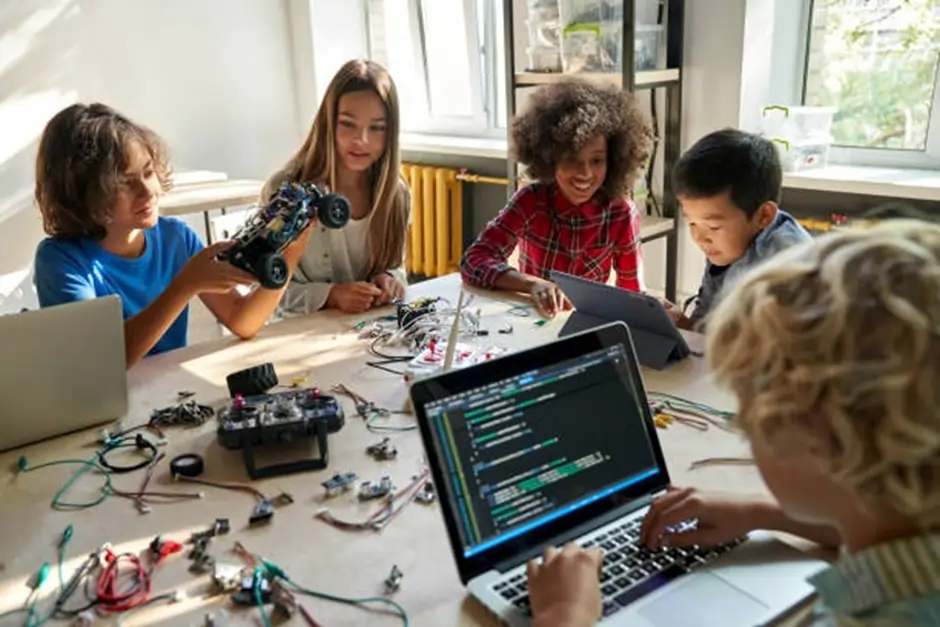
Coding is quickly becoming one of the most valuable skills children can learn today. Beyond preparing students for future technology careers, programming helps develop logical thinking, creativity, and problem solving abilities. As parents begin exploring coding for kids, one of the most common questions they face is Scratch vs Python, and which programming language is the better starting point.
Scratch and Python are both widely used beginner programming languages, but they teach coding in very different ways. Scratch introduces children to programming through colorful drag and drop blocks that allow them to create games, animations, and interactive stories. Python, on the other hand, is a text based language used in real software development and fields such as artificial intelligence and automation.
Understanding the differences between Scratch vs Python helps parents choose the right starting point based on their child’s age, interests, and learning style. In this guide, we will compare both languages, explain their benefits, and help you decide which coding language your child should learn first.
Why Coding Skills Are Important for Kids Today
Learning to code is not only about becoming a programmer. Coding teaches problem solving, logical thinking, and creativity. According to Code.org, computer science education helps students improve analytical thinking and prepares them for future careers across many industries.
Children who start coding early often develop stronger computational thinking skills. These skills include:
- Breaking complex problems into smaller parts
- Recognizing patterns and structures
- Designing step by step solutions
- Testing and improving ideas through experimentation
Coding also encourages creativity. Kids can build simple games, animations, or stories, which makes programming feel like a fun creative activity rather than a technical task.
For beginners, two of the most common learning options are Scratch and Python. Understanding the Scratch vs Python comparison helps parents choose the best learning path.
What Is Scratch Programming?
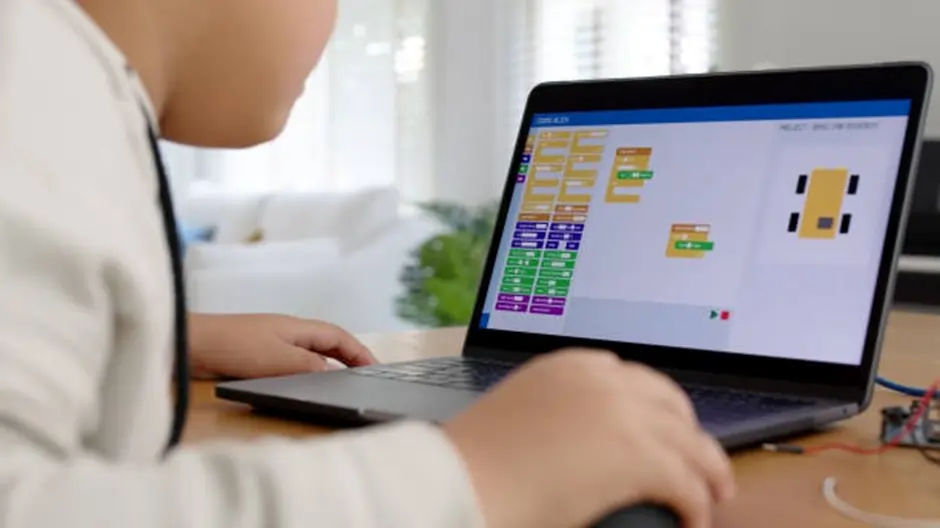
Scratch is a beginner friendly programming platform designed to introduce children to the basic concepts of coding. Instead of writing complex lines of code, students build programs by connecting colorful blocks that represent different commands. This visual approach allows children to focus on understanding how programming logic works rather than worrying about typing errors or complicated syntax.
The Scratch platform was developed by the Lifelong Kindergarten Group at the MIT Media Lab to make programming accessible to young learners. It is widely used in schools and coding programs around the world to teach the foundations of computer science in a fun and interactive way.
Key Features of Scratch
Scratch includes several features that make it one of the most popular tools for teaching programming for children:
- Visual block based programming
Children drag and connect coding blocks instead of typing commands. - Interactive game and animation creation
Students can design their own games, characters, and stories. - Beginner friendly interface
The platform is designed specifically for young learners with simple navigation. - Creative project building
Kids can combine graphics, sounds, and movement to create engaging digital projects. - Strong introduction to coding logic
Concepts like loops, variables, and conditions are introduced in an easy to understand visual format.
What Kids Can Create With Scratch
Scratch allows children to experiment with different types of digital projects, such as:
- Simple video games
- Interactive quizzes
- Animated stories
- Educational simulations
- Digital art projects
For example, a child can design a simple game where a character moves across the screen to collect points while avoiding obstacles.
Because of its simplicity and creativity focused environment, Scratch is often recommended as a first step when comparing Scratch vs Python for younger children who are just beginning their coding journey.
Start Your Child’s Coding Journey With a Scratch Course
If your child is new to programming, Scratch is one of the best ways to begin learning coding in a fun and interactive way. Through visual block based programming, children can easily understand how coding works while creating games, animations, and creative digital projects.
The Scratch 3 Coding Course for Kids at Embassy Education is designed to introduce young learners to the fundamentals of computer science in an engaging environment. Students learn important coding concepts such as sequences, loops, events, and problem solving while building their own projects step by step.
In this course, children will:
- Learn the basics of programming through visual coding
- Create interactive games and animations
- Develop logical thinking and creativity
- Build confidence with hands on coding projects
Parents looking for a structured introduction to programming can explore the full course here: Scratch 3 Coding Course
What Is Python Programming?
Python is a high level programming language used to build real software applications, websites, automation tools, and artificial intelligence systems. Unlike visual coding platforms, Python requires students to write commands using text based code. Despite this, Python is often considered one of the most beginner friendly programming languages because its syntax is simple and easy to read compared with many traditional coding languages.
Python was created by Guido van Rossum and has grown into one of the most widely used programming languages in the world. It is commonly used in areas such as data science, machine learning, web development, robotics, and automation. Because of its versatility, many educational programs introduce Python to students who want to move beyond basic coding concepts and start building real software projects.
For children and teenagers who already understand basic programming logic, Python provides a natural next step after block based coding platforms. Students can create simple games, automate tasks, build small applications, and even experiment with artificial intelligence projects as they continue learning.
Unlike Scratch, Python requires learners to type instructions using real code.
Example of a simple Python program:
print(“Hello, world!”)
This small line of code tells the computer to display a message.
Key Features of Python
Python includes several features that make it a strong choice for beginner programmers:
- Simple and readable syntax
Python uses clear and structured commands that are easier to understand than many other programming languages. - Real world programming language
It is used by companies and developers worldwide to build real applications. - Large global community
Millions of developers contribute tutorials, libraries, and tools that support learning. - Versatile learning opportunities
Python can be used in fields such as web development, robotics, data science, and AI. - Strong progression for advanced learning
Students who learn Python gain skills that can transition directly into professional programming environments.
Because of these advantages, Python is often part of the discussion when parents compare Scratch vs Python, especially for older children who are ready to begin writing real code and exploring deeper programming concepts.
Advance Coding Skills With a Python Course for Kids
For students who are ready to move beyond visual programming, learning Python opens the door to real world coding skills. Python is widely used in modern technology fields such as artificial intelligence, automation, and software development.
The Python Advanced Course for Kids at Embassy Education helps students transition from beginner coding concepts to writing real programs. Through guided lessons and practical exercises, students learn how to build applications and understand how real programming works.
In this course, students will:
- Learn Python programming from beginner to advanced level
- Understand core coding concepts such as variables, loops, and functions
- Build simple programs and coding projects
- Develop structured problem-solving and computational thinking skills
Explore the course details here: Python Advanced Course
Scratch vs Python: Key Differences Explained
When comparing Scratch vs Python, the biggest difference is how programs are written. Scratch uses visual blocks, while Python requires typed code.
The table below highlights the main differences.
| Feature | Scratch | Python |
|---|---|---|
| Programming Style | Visual block based programming | Text based coding |
| Learning Difficulty | Very beginner friendly | Beginner to intermediate |
| Age Suitability | Usually 7 to 12 years | Usually 10 years and above |
| Syntax Complexity | No syntax required | Requires understanding code structure |
| Project Types | Games, animations, stories | Apps, automation, AI, data analysis |
| Transition to Professional Coding | Indirect | Direct pathway |
Because of these differences, the Scratch vs Python decision often depends on the child’s age and experience with technology.
Benefits of Learning Scratch First
For many children who are new to programming, starting with a visual coding platform can make the learning process easier and more enjoyable. When discussing Scratch vs Python, Scratch is often recommended as the first step because it allows young learners to understand programming concepts without dealing with complicated syntax.
Instead of typing commands, children build programs by connecting coding blocks that represent different actions. This approach helps students focus on the logic behind programming rather than worrying about errors in spelling or formatting. As a result, beginners can quickly start building projects and gain confidence in their coding abilities.
Key Advantages of Starting With Scratch
- Easy introduction to programming concepts
Scratch simplifies coding by using visual blocks, making it easier for children to understand how instructions control digital characters and events. - No complex syntax to memorize
Because students do not need to write text based code, they can concentrate on understanding logic, sequences, and conditions. - Encourages creativity and storytelling
Children can build games, animated stories, and interactive projects using characters, backgrounds, and sound effects. - Immediate visual feedback
Students instantly see how their code affects the project, which makes learning interactive and motivating. - Builds confidence in beginner programmers
Completing small projects helps children feel successful and encourages them to explore more advanced programming skills.
Example: A Child’s First Coding Project
A typical beginner Scratch project might involve creating a simple game where a character moves across the screen and collects objects. By connecting blocks for movement, events, and scoring, students learn how programming instructions control digital actions. These early experiences help children understand concepts such as loops, sequences, and conditional logic.
Because of these advantages, Scratch is often considered an excellent starting point when evaluating Scratch vs Python for younger learners who are beginning their journey in computer science.
Benefits of Learning Python First
While many beginners start with visual coding tools, some students are ready to begin with a real programming language. In the discussion of Scratch vs Python, Python is often recommended for older children or those who already have strong logical thinking skills and a genuine interest in technology.
Python is designed with a clean and readable syntax, which makes it easier for beginners compared with many other programming languages. The structure of the language is straightforward, allowing students to understand how commands work together to form a program. This clarity helps learners focus on programming logic while gradually becoming comfortable with real code.
Key Advantages of Starting With Python
- Introduction to real programming syntax
Students learn how actual code is written, which prepares them for advanced programming languages. - Strong foundation for future technology careers
Python is widely used in fields such as machine learning, automation, and software development. - Versatile project possibilities
Children can build simple games, small applications, and automation tools as their skills grow. - Large learning ecosystem
Python has extensive documentation, tutorials, and beginner resources that support new learners. - Smooth progression to advanced coding topics
Students can continue expanding their knowledge without needing to switch languages later.
Example: A Beginner Python Project
A beginner Python project might involve writing a small program that asks the user questions and responds based on their answers. For example, students can create a simple number guessing game or a calculator that performs basic mathematical operations. These projects help learners understand how variables, conditions, and loops work in real programming.
Because of its simplicity and real world applications, Python is often chosen in the Scratch vs Python comparison for students who are ready to move beyond visual programming and start writing actual code.
When Should Kids Start With Scratch?
For many young learners, Scratch provides the easiest entry point into programming. When parents compare Scratch vs Python, Scratch is often recommended for children who are just beginning to explore coding concepts. Its visual interface allows students to experiment with programming ideas in a playful and creative environment.
Most educators suggest introducing Scratch to children between the ages of 7 and 12. At this stage, students are developing logical thinking and problem solving skills, but they may not yet be comfortable writing structured code. Scratch removes that barrier by allowing children to build programs using drag and drop blocks.
Because of this approach, children can start creating projects quickly and see immediate results. This keeps learning engaging and helps them build confidence as they explore coding.
Signs a Child Is Ready to Start With Scratch
Scratch is often the best choice when a child:
- Is new to coding and has never used a programming language before
- Enjoys creative activities such as storytelling, drawing, or designing games
- Learns better through visual and interactive tools
- Is still developing typing skills and may find text based coding challenging
- Wants to build simple games or animations
What Children Learn From Scratch
Scratch introduces several core programming ideas that form the foundation of computer science:
- Sequences – understanding how instructions run step by step
- Loops – repeating actions automatically
- Events – triggering actions when something happens
- Conditions – making decisions based on rules
- Variables – storing and changing information in a program
When Should Kids Start With Python?
Python is usually introduced once children are comfortable with basic programming ideas and ready to begin writing real code. In the comparison of Scratch vs Python, Python is often recommended for students who are slightly older or who already understand fundamental coding concepts such as sequences, loops, and conditions.
Most educators suggest that children can start learning Python around ages 10 to 14, depending on their interest and learning pace. At this stage, students typically have stronger reading, typing, and logical thinking skills, which makes it easier for them to understand text based programming.
Python is particularly suitable for children who are curious about how real software works. Because it is used in many professional fields, learning Python can open the door to building more advanced projects such as applications, websites, or simple artificial intelligence programs.
Signs a Child Is Ready to Learn Python
Python may be the better starting point when a child:
- Has already experimented with basic programming concepts
- Shows strong interest in technology or computer science
- Is comfortable reading and typing simple commands
- Wants to build real programs or applications
- Enjoys solving logic based challenges
What Children Learn From Python
Python introduces students to the structure of real programming. While the syntax is still beginner friendly, students begin to understand how actual software is written and organized.
Key concepts children learn include:
- Variables – storing and managing data in programs
- Loops – repeating actions efficiently
- Conditional statements – making decisions within a program
- Functions – organizing code into reusable blocks
- Basic algorithms – solving problems step by step
Scratch vs Python Learning Path for Children
When parents compare Scratch vs Python, it is helpful to think about coding education as a learning journey rather than a single choice. Both languages play an important role in helping children develop programming skills, and many educators recommend learning them in a gradual progression.
Scratch helps younger students understand the logic behind programming, while Python introduces the structure of real code used in software development. When combined in the right sequence, they create a strong foundation for long term learning in computer science.
Recommended Coding Learning Path
A common approach used in many coding programs follows these stages:
- Introduction to Scratch (Ages 7–10)
Children begin with visual block based programming to understand how instructions control digital actions. They create simple games, animations, and interactive stories. - Developing Problem Solving Skills
Students learn important programming ideas such as loops, events, conditions, and variables while building creative projects. - Exploring More Complex Scratch Projects
As their confidence grows, children design more advanced games and interactive experiences that require planning and logical thinking. - Transition to Python (Around Ages 10–13)
Once students understand programming logic, they begin learning text based coding with Python. This introduces them to writing real code. - Building Real Applications With Python
Students can start developing small games, calculators, automation tools, and other beginner programs.
Which Is Easier for Beginners: Scratch or Python?
For younger learners, Scratch is generally easier to understand because it removes the need to write code.
Why Scratch Feels Easier
Scratch simplifies programming by eliminating syntax errors. In text based languages like Python, a missing bracket or spelling mistake can cause the program to fail.
Scratch avoids this problem because blocks only connect in valid ways.
Learning Curve Comparison
| Learning Factor | Scratch | Python |
|---|---|---|
| Time to Build First Project | Often within minutes | Usually requires basic syntax learning |
| Error Handling | Minimal errors | Syntax errors possible |
| Creativity Level | Very high | Depends on coding experience |
| Beginner Frustration Level | Low | Moderate |
This difference explains why many coding courses introduce Scratch before Python.
Scratch vs Python: Which One Is Better for Your Child?
The best choice depends on several factors.
Choose Scratch If
- Your child is under 10 years old
- They enjoy games, animation, or storytelling
- They have no prior coding experience
- You want a playful introduction to programming
Choose Python If
- Your child is older than 10 or 11
- They already enjoy math or logic puzzles
- They are interested in robotics or artificial intelligence
- They want to build real programs or applications
The Scratch vs Python decision is not about which language is better overall. Instead, it is about selecting the right tool for the child’s learning stage.
Common Mistakes Parents Make When Teaching Kids Coding
Introducing children to programming can be an exciting journey, but many parents unintentionally make choices that make learning more difficult than it needs to be. When thinking about Scratch vs Python, the goal should not only be choosing the right language but also creating a positive learning environment that keeps children curious and motivated.
Understanding common mistakes can help parents guide their children more effectively and ensure that coding remains an enjoyable experience rather than a frustrating task.
1. Starting With a Language That Is Too Difficult
One of the most common mistakes is introducing complex programming languages too early. While enthusiasm is great, younger children may struggle with text based coding if they have never explored programming concepts before.
In the Scratch vs Python discussion, starting with Scratch often helps children develop confidence before moving on to more advanced languages.
2. Focusing Too Much on Syntax
Some parents emphasize writing perfect code instead of helping children understand how programming logic works. Early coding education should focus on concepts such as sequences, loops, and conditions rather than memorizing commands.
Visual programming tools like Scratch are designed to teach these concepts without overwhelming beginners with syntax rules.
3. Expecting Immediate Results
Learning programming takes time and practice. Children may not build complex projects immediately, and that is completely normal. Small achievements, such as creating a simple animation or solving a small coding challenge, are important milestones in the learning process.
Encouraging patience and curiosity helps children stay motivated.
4. Not Using Project Based Learning
Coding becomes far more engaging when children build real projects. Creating games, interactive stories, or small applications helps students understand how programming ideas work in practice.
Projects allow children to experiment, make mistakes, and discover solutions on their own.
5. Turning Coding Into a Strict Academic Task
If programming feels like another school subject with heavy pressure, children may lose interest. Coding should feel creative and exploratory, especially in the early stages.
When parents approach programming as a fun activity rather than a strict lesson, children often become more enthusiastic about learning.
Key Takeaway
When parents understand the learning process and avoid common mistakes, children are more likely to enjoy programming. The discussion of Scratch vs Python becomes much easier when the focus is on building confidence, creativity, and problem solving skills step by step.
How Parents Can Help Kids Learn Coding Successfully
Choosing the right language in the Scratch vs Python discussion is only the first step. The way children learn programming plays an equally important role in how successful and enjoyable the experience becomes. With the right support and environment, children can develop confidence and curiosity while exploring coding.
Parents do not need to be programmers themselves to help their children learn. What matters most is encouraging exploration, creativity, and consistent practice.
1. Encourage Curiosity and Experimentation
Children learn best when they are free to explore. Instead of focusing only on instructions, encourage kids to try new ideas, modify projects, and experiment with different coding blocks or commands.
For example, a child using Scratch might experiment with different character movements or add sound effects to a game. A child learning Python might modify a small program to see how changing a command affects the result.
2. Focus on Project Based Learning
Projects help children understand how programming works in real situations. Instead of only studying concepts, they can apply them by building something interesting.
Examples of beginner coding projects include:
- Creating a simple animated story
- Designing a basic game with scoring
- Building a small quiz program
- Developing a number guessing game
Project based learning keeps coding engaging and helps students develop practical problem solving skills.
3. Maintain Consistent Practice
Like any skill, programming improves with practice. Short and regular learning sessions are often more effective than occasional long lessons.
Parents can encourage children to practice coding a few times each week. Even small improvements over time can lead to significant progress.
4. Celebrate Small Achievements
Completing a simple project or solving a coding challenge can be a big accomplishment for a beginner. Recognizing these milestones helps children stay motivated and proud of their progress.
Positive reinforcement builds confidence and encourages students to continue exploring programming.
5. Introduce Gradual Challenges
As children become more comfortable with coding, gradually introduce more complex challenges. This helps maintain interest while expanding their skills.
For example, a child who starts with simple Scratch animations can later build interactive games. Similarly, a beginner Python student might start with small programs and later create more advanced projects.
Key Insight
Whether a child begins with Scratch or Python, supportive guidance and engaging learning experiences make a significant difference. In the broader conversation of Scratch vs Python, the most important factor is helping children enjoy the process of learning and discovering how technology works.
Join Interactive Online Virtual Coding Camps for Kids
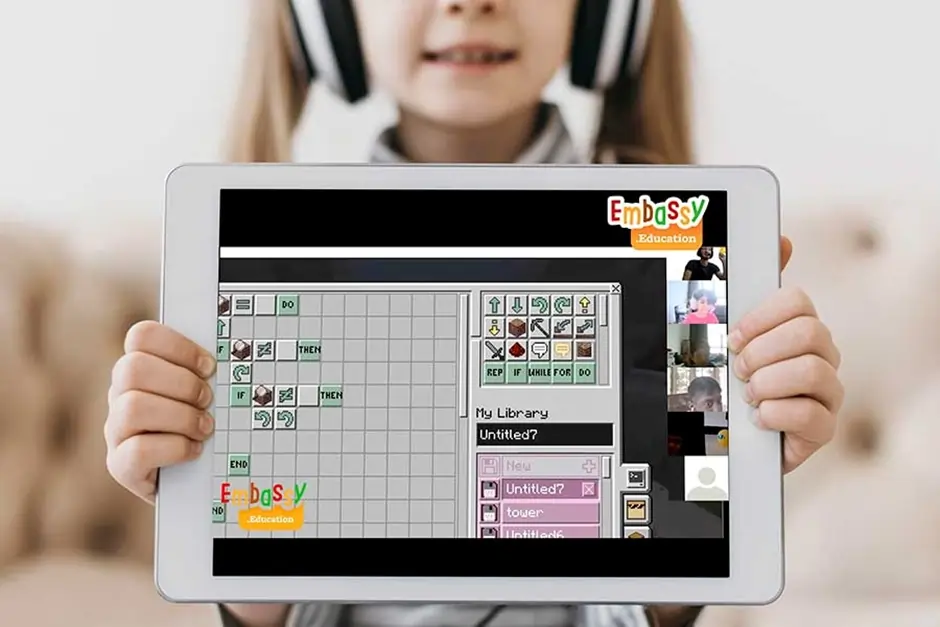
If your child is curious about technology and enjoys creative learning, the Online Virtual Coding Camps for Kids at
Embassy Education
provide an exciting way to start. These camps allow children to learn programming from home while collaborating with instructors and other young learners in a structured, engaging environment. Designed for kids ages 5 to 14, the camps introduce students to popular platforms such as Scratch, Python, Minecraft, and Roblox while helping them build problem solving and logical thinking skills.
Each camp typically runs as a 3-day interactive program combining live tutor sessions with hands-on project development. Students work on real coding projects, participate in fun challenges, and receive a certificate of completion once the camp ends. Small class sizes ensure that every child receives guidance while still enjoying the social experience of learning alongside peers.
Whether your child is just beginning with coding or wants to explore more advanced technologies, these camps provide a supportive introduction to programming while keeping the learning process fun and creative.
Frequently Asked Questions
Conclusion
Choosing between Scratch vs Python ultimately depends on a child’s age, learning style, and level of interest in technology. Scratch provides a creative and beginner friendly environment where young learners can explore programming concepts through games, animations, and interactive projects. It removes the complexity of syntax and helps children build confidence while understanding how coding logic works.
Python, on the other hand, introduces students to real programming used in modern software development. It is ideal for older children or those who are ready to move beyond visual programming and start writing structured code.
For many learners, the best approach is not choosing one over the other, but using both at different stages. Starting with Scratch helps children develop a strong foundation in computational thinking, while transitioning to Python allows them to apply those ideas in real programming environments.
By understanding the differences between Scratch vs Python, parents can choose the learning path that keeps their children curious, engaged, and excited about discovering the world of coding.
Editor: Michael Mitryakov | Writer: Negin
Did you Like this article? Hit the button :)
Array